
Methodox Office Math
Methodox Office Math is the equation editor of Methodox Office. You write a formula as a line of commands in the StarMath language LibreOffice Math uses, and Math typesets it as you type.
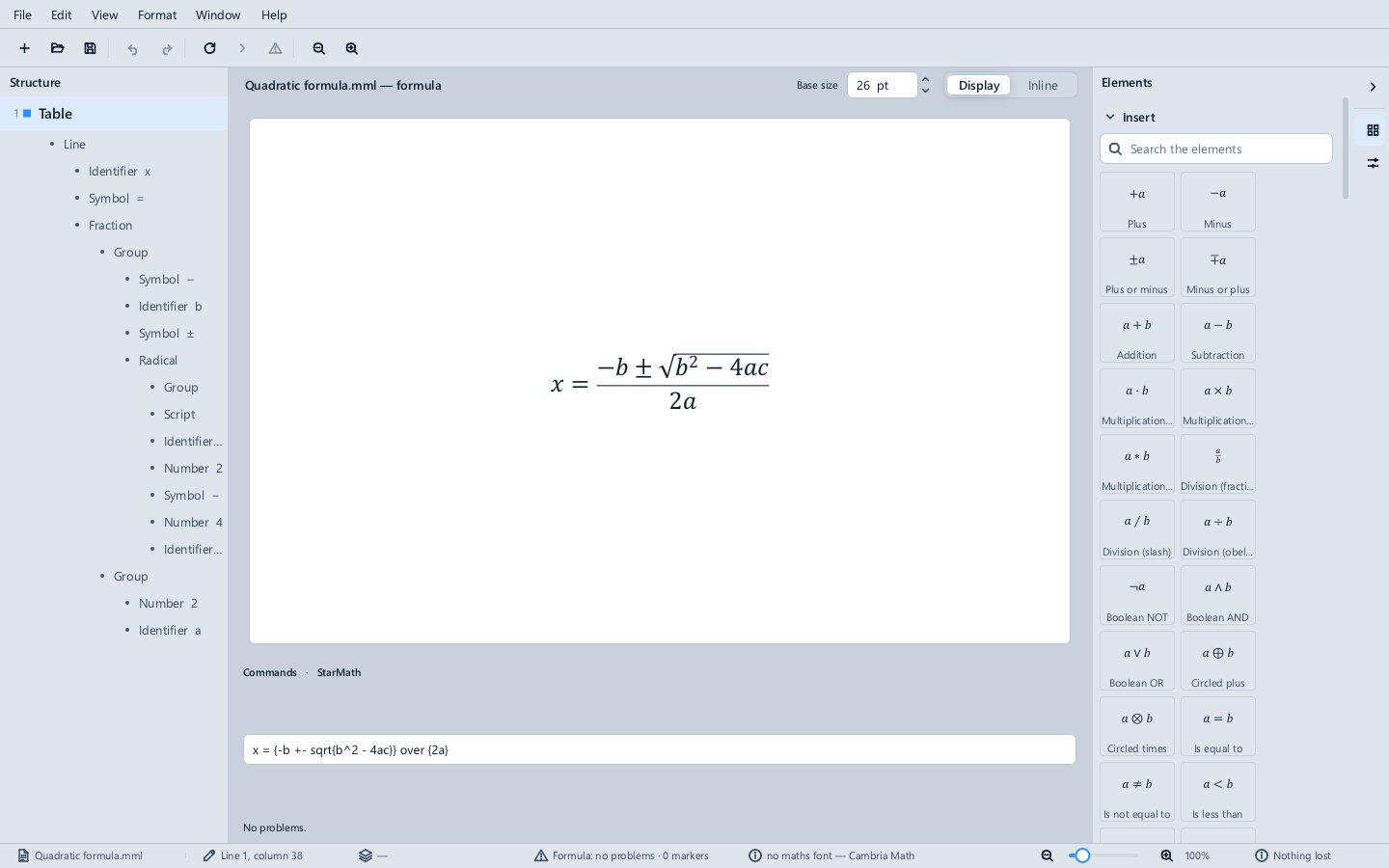
Writing a formula
Type in the Commands box under the formula. The formula above is drawn again as you type, and View ▸ Update (F9) draws it at once. For example:
| Commands | Typeset |
|---|---|
x = {-b +- sqrt{b^2 - 4ac}} over {2a} |
the quadratic formula |
f(x) = sum from {n=0} to infinity {{f^{(n)}(a)} over {n!} (x - a)^n} |
a Taylor series |
int from {-infinity} to {infinity} e^{-x^2} dx = sqrt{%pi} |
the Gaussian integral |
left( matrix{ a # b ## c # d } right) |
a 2 × 2 matrix in brackets |
Braces group, ^ and _ make superscripts and subscripts, over makes a fraction, # and ## separate the columns and rows of a matrix, words such as sqrt, sum, int, matrix and infinity stand for what they say, and a % before a name makes a Greek letter (%pi, %sigma).
The Elements deck
The Elements deck in the sidebar lists every operator, function, bracket, symbol and layout Math knows, each drawn as it will look. Click one to insert its commands at the caret, with markers <?> where its arguments go; Edit ▸ Next Marker (F4) moves to the next marker. The search box at the top finds an element by name.
The Structure pane
The Structure pane on the left shows the formula as a tree: lines, fractions, groups, radicals, identifiers and numbers. Clicking a part of the typeset formula selects it in the tree.
Problems
A command Math cannot read is reported under the Commands box and in the status bar; Edit ▸ Next Problem (F8) goes to the next one.
Size and style
Base size sets the size the formula is set at. Display sets it as a formula on a line of its own, with full-size fractions and limits above and below; Inline sets it to sit inside a line of text. Format ▸ Larger and Smaller change the size.
Files
Math opens and saves MathML (.mml), which Word, LibreOffice and web pages read, and StarMath commands as plain text (.smf, .txt). A MathML file Math writes carries the StarMath commands inside it, so reopening it gives back exactly what you typed. File ▸ Export as Image and Export as PDF write the typeset formula. See Supported file formats.
The Examples\Math folder has seven formulas to start from.