
Getting Started
This page makes a small notebook in Divooka Compute: a page that greets whoever types a name, and a page with a temperature slider. It is the example Web Development / A Notebook, which you can open from Compute's examples instead of building it.
Prerequisites
- Divooka Compute, with the Web Development workload (it brings the Notebook toolbox).
- A web browser.
Building the notebook
- Create a document from the Web Development workload, and add an Events graph if it has none.
- Choose the base type. In the Events graph's properties, set its procedural base type to Notebook Application. Every node of Notebook Application now acts on this notebook without a receiver wired.
- Add Build. From the toolbox, place the Build event. Everything Build does, in order, is the page's layout.
- Lay the site out. Chain these statements after Build, each one's Next into the next one's Previous:
- Site, Name
Greenhouse- the name in the top bar. - Page, Name
Greeting- everything after it goes on this page. - Markdown, Text
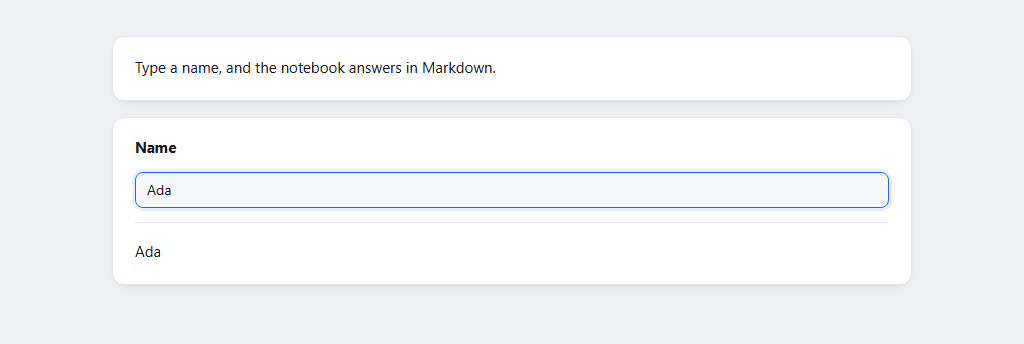
Type a name, and the notebook answers in Markdown. - Text Box, Label
Name, InitialDivooka. - Page, Name
Temperature. - Slider, Label
Temperature, Min0, Max40, Initial24.
- Site, Name
- Answer the text box. Its On Change pin takes a function. Choose Edit Function on the pin: Compute makes a Function graph whose input
argand outputResultalready have the pin's types. Inside it, place Markdown from Notebook Outputs, wirearginto its Text, and its result intoResult. - Answer the slider the same way: Edit Function on its On Change, and wire
argstraight intoResult.
Running the notebook
Press Run. Compute serves the notebook on this machine and opens it in your browser; the status line says the address, such as Serving at http://127.0.0.1:52344/.
Type into Name and the greeting appears beneath it, in Markdown. Drag Temperature and the number follows. Run All, in the top bar, answers every cell on the page from its current value.
Press Stop in Compute to end it.
What happened?
Build ran when the notebook started, and laid out two pages. When you opened the page, the notebook made an instance of the document for you and built it again, binding your cells to your instance. Each change called that cell's Function graph with the new value, on your instance, and showed what it returned. A colleague opening the same address gets an instance of their own.
Sharing it
Save the document, and on any machine with Divooka Compute:
dvn "A Notebook.dvk" 0.0.0.0:5080
dvn prints the addresses it answers on, including this machine's address on the network, for colleagues to open. See Hosting.
Remarks
- A cell's function can return anything: text, a number, a table, an image, a figure from the Plotting toolbox. Concepts says what each becomes.
- The finished example also shows members: its slider's function stores the temperature in a data member, and a third cell reads it back - your temperature, never another visitor's.
- For a chart, open Web Development / Crop Yield Notebook: a slider sets the temperature a crop does best at, and its function returns Plot With Parameter over a small Function graph, so the curve moves as the slider does.