
Concepts
The notebook is a document
A notebook is a Divooka document whose entry graph is an Events graph implementing Notebook Application. Its Build callback lays the notebook out; its other graphs - usually Function graphs - answer the cells. Everything else a document can have, it can have: data members, other graphs, packages, embedded assets.
Site, pages, cells
- The site is the whole notebook: a name, an optional icon, and its pages.
- A page is one function of the notebook, listed in the sidebar. Everything added after Page goes on that page until the next.
- A cell is an input paired with an output: a slider and what it shows, a text box and its answer. A cell with no input - Markdown, Html, Heading, Image - is static, and a Show cell has no input but computes what it shows when the page loads.
The layout is fixed: Build lays the page out once, and what changes is values, outputs, and which inputs are enabled. A Build that lays out something different from one visitor to the next is refused, because a page that is half one layout and half another is no page at all.
Two ways to lay a notebook out
One statement at a time. Chain Notebook Application's own nodes after Build - Page, Markdown, Slider, Text Box - as you would write a Streamlit script. This is the usual way.
As values. The Notebook Cells nodes each make a cell as a value - Slider, Text Box, Group and the rest - which you can wire, keep in an array, and place with Add Page or Add Cell. Both ways lay out the same notebook.
Functions answer cells
Every input has a function pin - On Change, or On Click for a button - and the function it names is called with the input's value whenever the value changes:
| Input | The function takes |
|---|---|
| Number, Slider | a number |
| Text Box, Text Area, Choice, Date | text (a date as yyyy-MM-dd) |
| Checkbox, Toggle | a truth |
| Upload | the uploaded file, or nothing |
| Input group | all its fields at once, as Notebook Inputs |
| Button | nothing |
Edit Function on the pin makes a Function graph with exactly that signature. The function returns what the cell shows. If it fails, the cell shows its error and the page goes on.
Every visitor has the document to themselves
Each page load is a session, and each session is a new instance of the document: the notebook makes it and builds it, which binds that visitor's cells to it. So:
- A visitor's cells share the instance's data members. One cell's function can set a member that another cell's function reads.
- Visitors never share members. Two colleagues on one notebook each have their own values, outputs and members.
- Input reads another cell's current value in this session, by its label; Set Enabled enables or disables another input, by its label. Get Session Id gives a name to use for files a visitor's functions write.
Shared values
Some things should be loaded once and given to everyone: a large table, a trained model. The Site Started callback runs once, before the first visitor, on the site's own instance; Set Shared keeps a value there, and Shared reads it from any visitor's functions. It is the one state visitors have in common, and it is explicit.
Session Started and Session Ended run as each visitor arrives and leaves.
Read-only and enabled
- Page Read Only makes the current page read-only: inputs show their starting values and cannot be changed, and every cell shows what its function answers for them.
dvn --read-onlydoes this for a whole site. - Last Read Only and Last Disabled change the cell added last; Set Enabled, called from a function, changes another input while the notebook runs.
- Hide Run All takes Run All off the current page.
Outputs
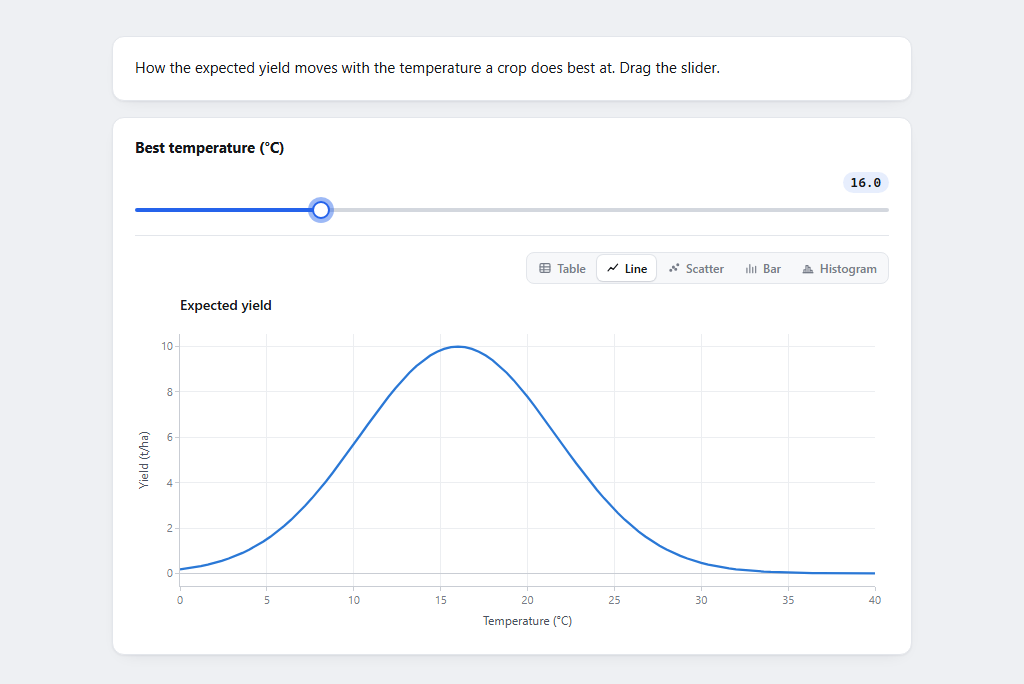
What a function returns decides what the visitor sees, and how data is drawn is the page's choice, not the computation's:
| A function returns | The page shows |
|---|---|
| nothing | nothing - the output stays collapsed |
| text, a number, a truth | the text |
| Markdown, Html, Code from Notebook Outputs | Markdown, an HTML fragment (both cleaned of scripts), or a highlighted code block |
| Html Page | a whole page, in a frame of its own |
| a Divooka image, or Picture | the picture, as it is |
| a figure or chart from the Plotting toolbox | the chart drawn interactively, with Image showing Divooka's own rendering of it |
| Chart, Line Chart, Scatter Chart, Plot Function, Plot With Parameter from Notebook Outputs | a chart drawn by the page |
| a table | a table, with a view picker - Table, Line, Scatter, Bar, Histogram - and a CSV download of the whole table |
| a list of numbers | the numbers, as a table or a chart |
| Download | a link to download the file |
| an array of cells | the cells' outputs, nested |
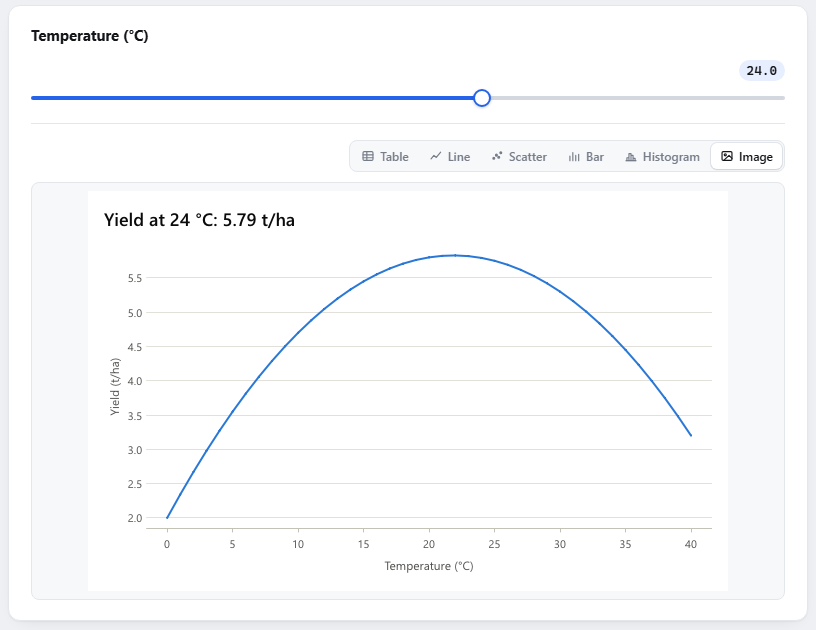
A table sends its first thousand rows to the page; the CSV has every row. Last Prefer View sets which view a table or chart output opens in.