
References
A document references what it uses beyond the language itself: the packages of this distribution, NuGet packages, libraries on disk, C# scripts, and other documents. A reference is a name, never a copy - each is found where it lives every time the document opens - so a folder of documents can be moved as a whole, and a document says exactly what it needs.
The language - values, loops, branches, Return, Functions and the rest of what every document has - needs no reference.
What a document references
The document outline's References section lists them in groups: NuGet packages, Divooka packages, Assemblies, Documents and Scripts. A document made from a workload starts with that workload's packages: one made from General Purpose references Standard Library, Graph Editor Essentials and Platform. Hover over a package for what it offers.
What a document references is what it is offered. The toolbox tray, a wire's tray and the node library offer the nodes of the packages it references, the language's, the document's own graphs, and the graphs of the documents it references - and nothing else. A node from a package the document does not reference still opens, runs and saves, and its tooltip says Not declared by this document; referencing the package clears it.
Adding a reference
Press Ctrl+Shift+L, or Add reference… under the outline's References section. The Add reference card lists, under Workloads, every workload as a bundle - choosing one references all of its packages at once - and then every package this distribution ships, by category, each with a line on what it does. A package the document already references is marked declared. Type in the box to filter the list; a name the list cannot show - a NuGet package, a document beside this one - can be typed whole. Choose one and press Add.
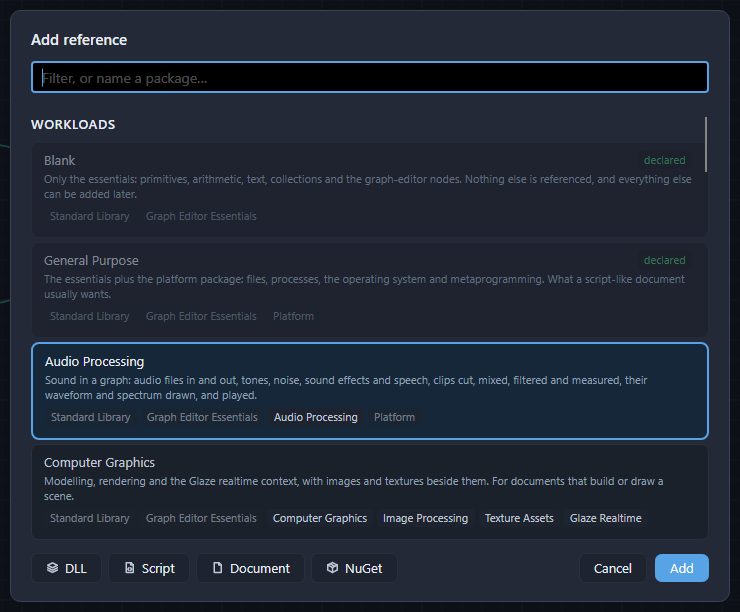
The status bar names what was added - Image Processing declared — Ctrl+Z to undo - and the tray now offers its nodes. Ctrl+Z takes a reference back like any edit.
The four buttons at the bottom add what is not in the list:
| Button | What it adds |
|---|---|
| DLL | A .NET library on disk, chosen in a file dialog; what it offers becomes nodes. |
| Script | A C# script file beside the document, compiled when the document opens; its methods become nodes. |
| Document | Another Divooka document - see below. |
| NuGet | A package from nuget.org, found by searching. It is fetched from nuget.org when the document opens. |
Divooka Compute refuses a reference it cannot find now, on this machine - a misspelt name, a package this distribution does not have - and the status bar says so. Opening a document is more forgiving: a saved document that references something this machine lacks still opens, with a note.
To remove a reference, press the cross on its row in the outline and confirm.
Using another document's graphs
A document is a type, named after its file: Maths.dvk is the type Maths. Its Functions and Routines are that type's methods, so another document can call them once it references it.
- Make a document called
Mathsand add a Function to it, Square, that multiplies its Value by itself - see Graphs and members. Save it. - In the document that will use it, press
Ctrl+Shift+L, then Document, and chooseMaths.dvk. The status bar reads Maths declared — Ctrl+Z to undo, and the outline lists Maths under Documents. Ctrl+Spaceand typeSquare: it is offered under Document Modules (Maths), beside Make Maths.- Place Square. It takes a Maths first - the instance it is called on - and then its Value. Place Make Maths and wire its output into Square's Maths, give Value
9, and print the result:81, in either run mode.
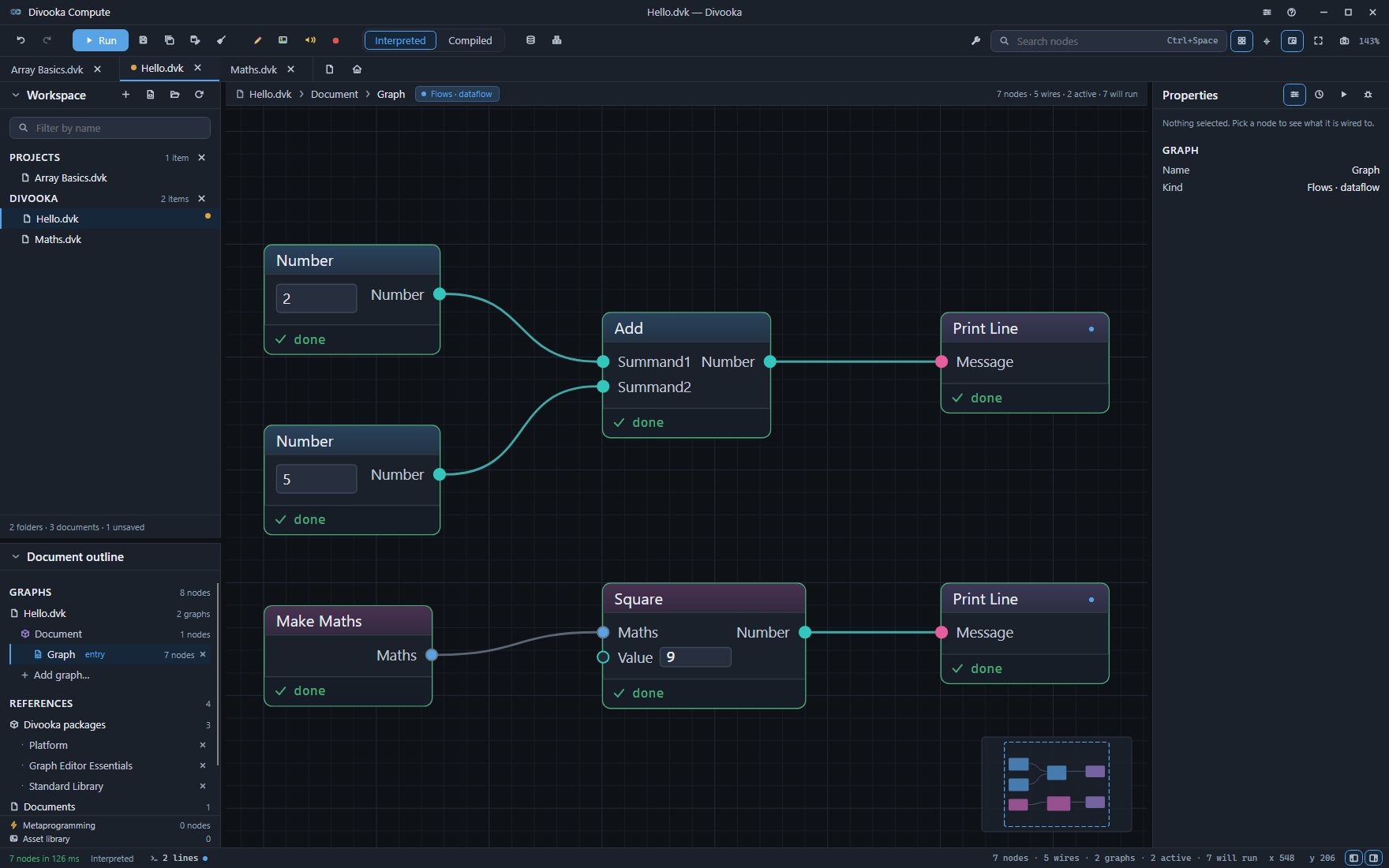
A document that is only a library of functions needs no instance. In Maths.dvk, click Document in the outline and, with nothing selected, find the Kind row in the Properties panel: it reads Class. Choose Static and save. From then on Square takes its Value alone, no Make Maths is offered, and a document that still makes one reports an error until that node is deleted.
A referenced document is found by where it is relative to the document that references it, so keep the two together when you move them. When two referenced documents share a name, their headings name their folders - Document Modules (Lib/Counter) and Document Modules (Other/Counter) - and so do their nodes.
Documents that declare nothing
A document that references no package at all - one written in Divooka Explore, or an older example - is offered every node this distribution ships, and its outline reads This document references nothing beyond this distribution. Make references explicit. Click Make references explicit to reference exactly the packages its nodes come from, in one step that Ctrl+Z takes back; from then on it is offered what it references, like any other document.