
Methodox Transcriber
Methodox Transcriber records speech, lets you cut the recording, and turns what is left into text. All three happen in one window and happen entirely on your own machine.
- Version: v0.6
- Platforms: Windows, Linux, macOS (Apple Silicon and Intel)
- Download: Methodox.itch.io
- Website: transcriber.methodox.app
- Source:
Standalones/MethodoxTranscriberin Parcel NExT
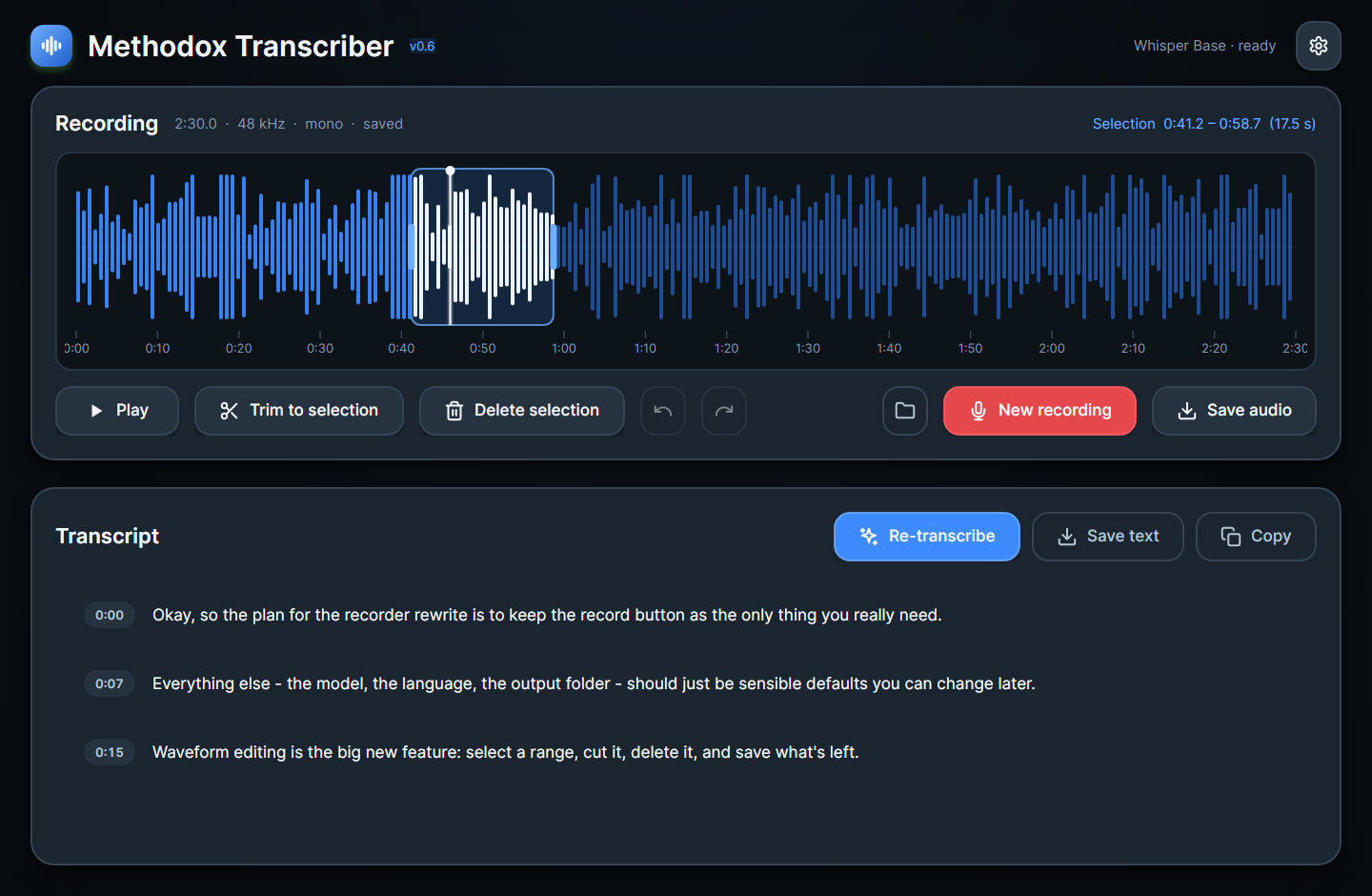
v0.6 is a complete re-implementation. Versions up to v0.5.1 sent audio to OpenAI's Whisper API, which capped uploads at 25 MB and required a key. None of that remains: v0.6 is a brand new application running whisper locally, and there is no cloud integration of any kind left in it. The old program is kept available for download from Itch.io.
Where it runs
The model runs on your CPU, in the same process as the interface. No account, no API key, nothing uploaded, and no limit on file size or length. Long files decode on a background thread so the window stays usable while they load.
The one thing the program ever fetches over the network is a Whisper model, once, from whisper.cpp's public model repository, and only when you press Download in Settings. You can also put a ggml-*.bin file into the model folder yourself and never let it touch the network at all. Models live in ~/.methodox/transcriber/models by default; settings live in ~/.methodox/transcriber/settings.json.
Recording
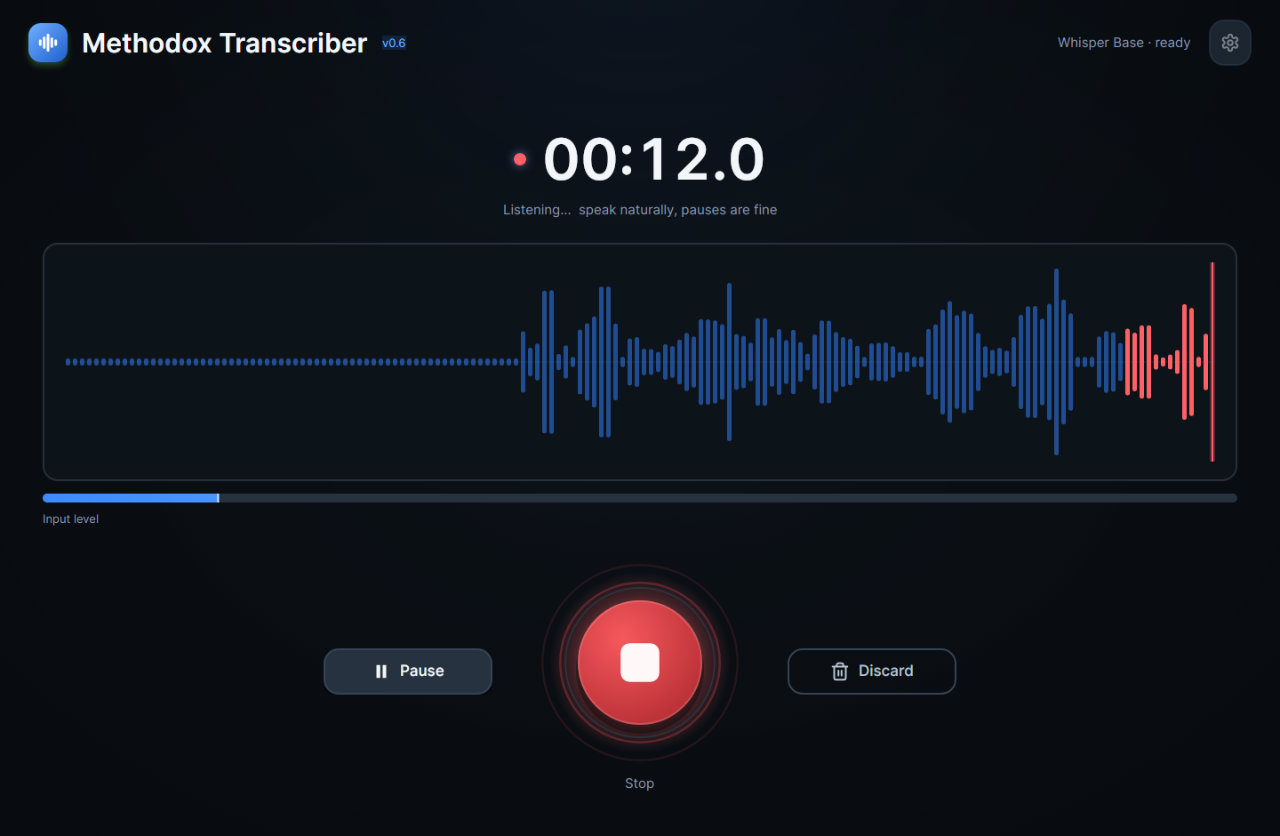
The idle screen is one large record button, and Space does the same thing. While it runs you get a live waveform and an input-level meter, and pause and resume so you can stop to think without recording the silence.
You can also open an existing file instead of recording one — or drag it anywhere onto the window.
Editing
The waveform is editable, which is the part most transcription tools leave to a second program.
- Click to seek, drag to select, drag the handles to adjust, right-click to clear the selection.
- Trim to selection, delete selection, undo and redo. Sample-accurate, and non-destructive: the file on disk is untouched until you save.
- Audition the selection before committing to a cut.
- The wheel zooms around the cursor; middle-drag or a horizontal wheel pans, and a minimap strip shows where you are in the file. While recording, the wheel changes how many seconds of history are shown.
Transcribing
Segments stream into the transcript as the model produces them, each timestamped; clicking a timestamp seeks the audio to it.
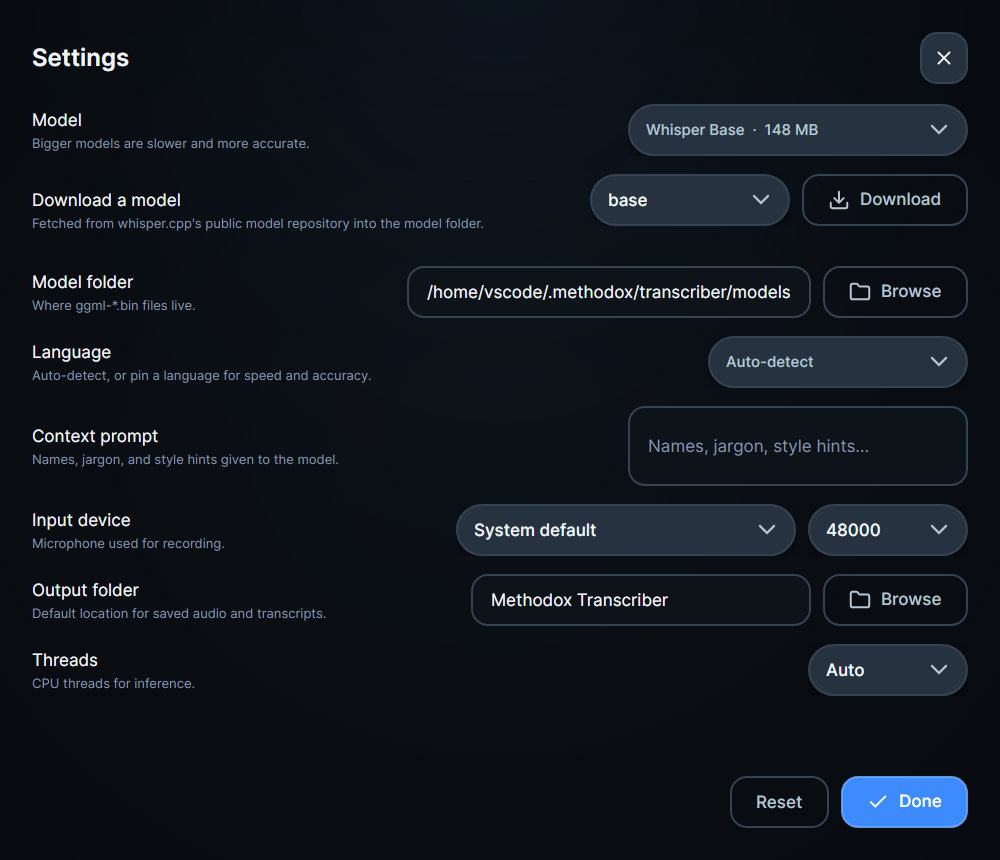
| Setting | What it does |
|---|---|
| Model | tiny, base, small, medium or large-v3-turbo. Bigger is slower and more accurate. Downloadable from inside Settings, or dropped into the model folder by hand. |
| Language | Auto-detect, or pin one of 22 languages when you already know — pinning is faster and usually more accurate. |
| Context prompt | Names, jargon and spellings given to the model up front, so it stops guessing at them. |
| Input device | Which microphone, and at what sample rate. |
| Threads | CPU threads used for inference. |
Export the result as plain text, timestamped Markdown or SRT subtitles, or copy it to the clipboard.
Audio formats
| Reads | Writes |
|---|---|
| WAV, MP3, M4A/AAC, FLAC, OGG Vorbis | WAV, FLAC (managed encoders), OGG Vorbis (SFML) |
Keyboard
Space record/stop, or play/pause · P pause recording · R new recording · Delete delete selection · Esc clear selection or cancel transcription · Ctrl+Z / Ctrl+Shift+Z undo and redo · Ctrl+S save audio · Ctrl+O open · Ctrl+T transcribe · Ctrl+, settings.
Known limitations
- MP3, AAC and OGG are decode-only; saving uses WAV or FLAC (managed) or OGG (native).
- HE-AAC (SBR) streams decode as their AAC-LC core, and chained OGG files play their first chain.
- Transcription runs after recording stops. Segments stream during a run, but there is no while-you-speak transcription.
References
- Download: Methodox Itch.io Store
- Website: transcriber.methodox.app
- Usage guide for the older v0.3 (cloud) release: YouTube
- Usage guide for the new v0.6 (cloud) release: YouTube