
Quadrant Charts
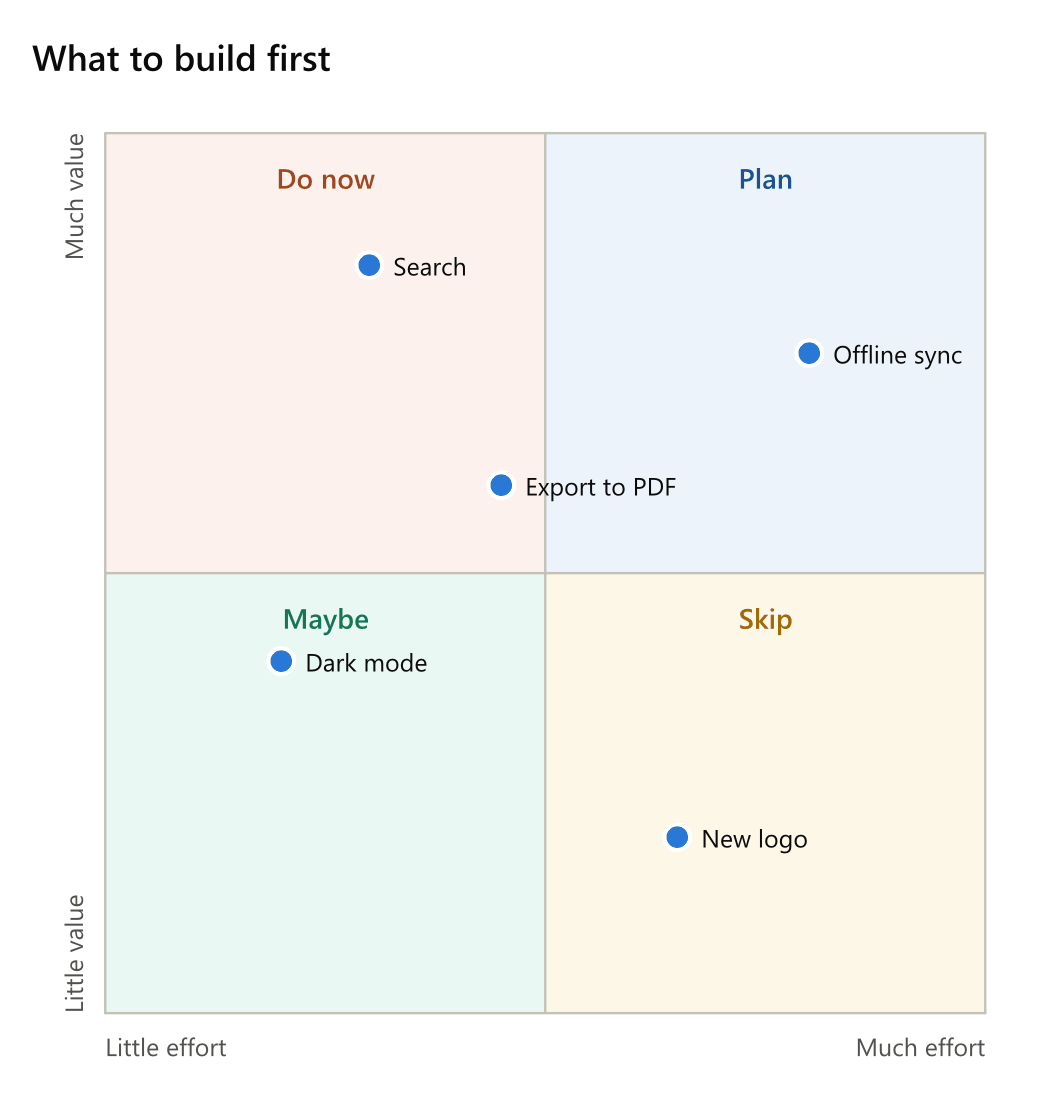
A quadrant chart places things by two measures on a square split into four. It starts with quadrant and its title.
quadrant What to build first
x axis: Little effort .. Much effort
y axis: Little value .. Much value
top left: Do now
top right: Plan
bottom left: Maybe
bottom right: Skip
Search: 0.3, 0.85
Dark mode: 0.2, 0.4
Offline sync: 0.8, 0.75
New logo: 0.65, 0.2
Export to PDF: 0.45, 0.6
Settings
| Setting | Also | Value |
|---|---|---|
x axis |
x, horizontal, xaxis |
the axis' low end and high end, apart by .., ->, --> or to |
y axis |
y, vertical, yaxis |
the same, upwards |
top right |
quadrant 1, q1 |
the top right quarter's name |
top left |
quadrant 2, q2 |
the top left quarter's name |
bottom left |
quadrant 3, q3 |
the bottom left quarter's name |
bottom right |
quadrant 4, q4 |
the bottom right quarter's name |
range |
both axes' range: 0..1 (the default), 0..10, 0..100 |
The quarters are numbered as Mermaid numbers them, from the top right round to the bottom right.
Points
Each line is a point: a name, a colon and its two values, across then up. Brackets round the values are allowed - Search: (0.3, 0.85) - and a colour in brackets after the name colours the point: Dark mode [teal]: 0.2, 0.4. A point outside the range is drawn at its edge, and warned of.