
State Diagrams
A state diagram is the states something can be in and the events that move it between them. It starts with state and its title.
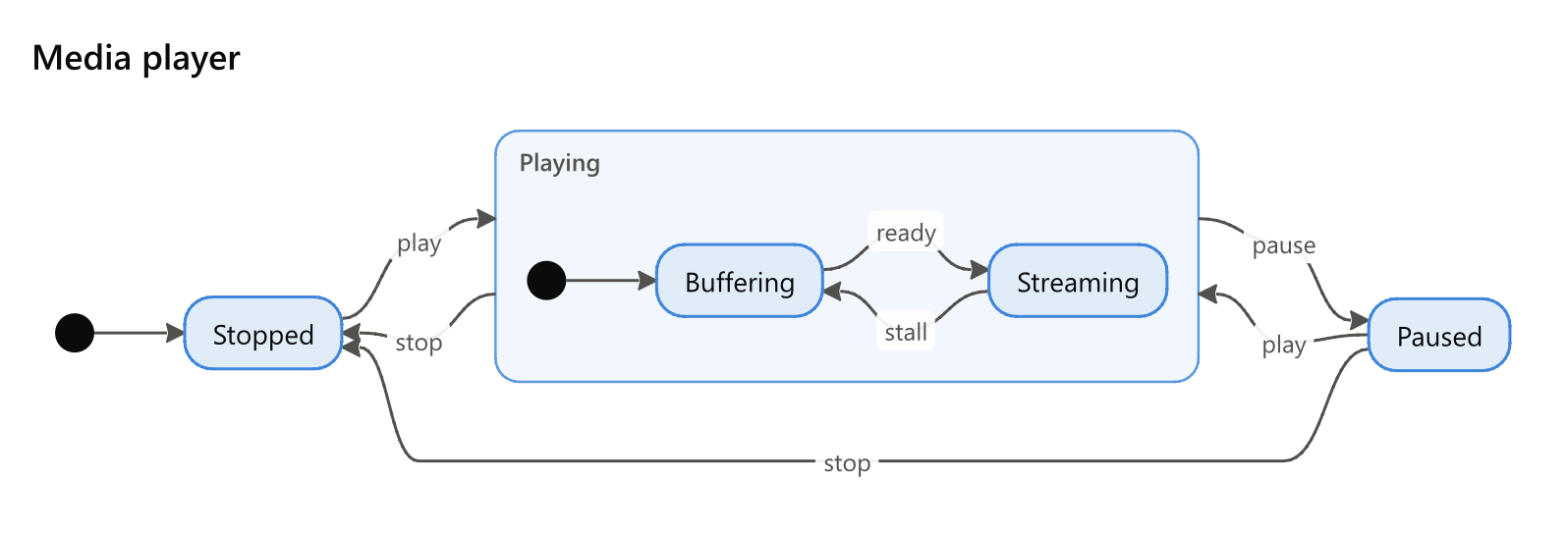
state Media player
direction: right
* -> Stopped
Stopped -> Playing: play
Playing -> Paused: pause
Paused -> Playing: play
Playing -> Stopped: stop
Paused -> Stopped: stop
Playing
  * -> Buffering
  Buffering -> Streaming: ready
  Streaming -> Buffering: stall
Settings
| Setting | Also | Value |
|---|---|---|
direction |
flow, orientation, layout, rankdir |
which way the transitions run: down (the default), right, up or left |
States and transitions
States are made as a flowchart's steps are - where they are first named - and drawn rounded. state Name, as other tools write it, names one too. An arrow between two states is a transition, and the words after its colon are the event that makes it: Playing -> Paused: pause.
Where it starts and stops
* before an arrow is where the machine starts, and after one where it stops: * -> Idle, Done -> *. Mermaid's [*] reads the same. A * in any other kind of diagram is said.
Composite states
A state with lines indented under it is a composite state: a frame holding a state machine of its own, with its own start and its own stop. Arrows to and from its name reach its frame. Playing: Playing music gives a composite a label.
Choices, forks and joins
| Attribute | Draws the state as |
|---|---|
[choice] (also decision) |
a diamond, where the machine goes one way or another |
[fork] |
a bar, where it splits into states that run together |
[join] |
a bar, where they meet again |
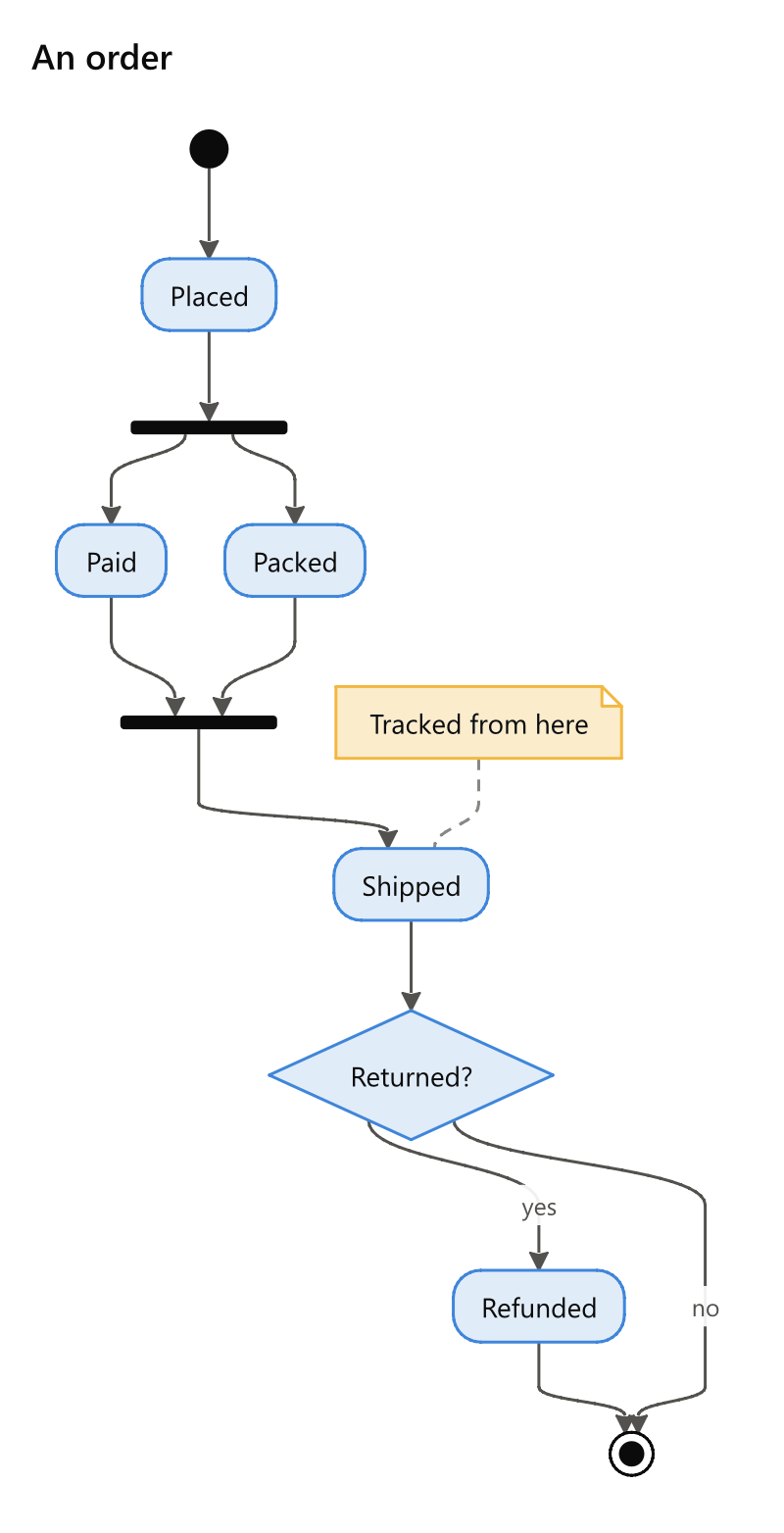
state An order
* -> Placed
Placed -> split
split [fork]
split -> Paid
split -> Packed
Paid -> joined
Packed -> joined
joined [join]
joined -> Shipped
Shipped -> Returned?
Returned? [choice]
Returned? -> Refunded: yes
Returned? -> *: no
Refunded -> *
note Shipped: Tracked from here
Colours and roles in brackets colour a state, as on the language page.
Notes
note State: what to say puts a note beside a state, joined to it by a dashed line.