
Debugging
Every run in Action Maker is a debugging run. You can stop it before any row, see what every variable and every result holds at that moment, and walk on one row at a time. When something goes wrong, this is how you find out what the program actually did, rather than what you meant it to do.
Set a breakpoint
A breakpoint is a row the run stops before. Select the row and press F9, or click just left of it: a red dot appears in its margin. F9 or a click again clears it. The row menu has Set breakpoint and Clear breakpoint too.
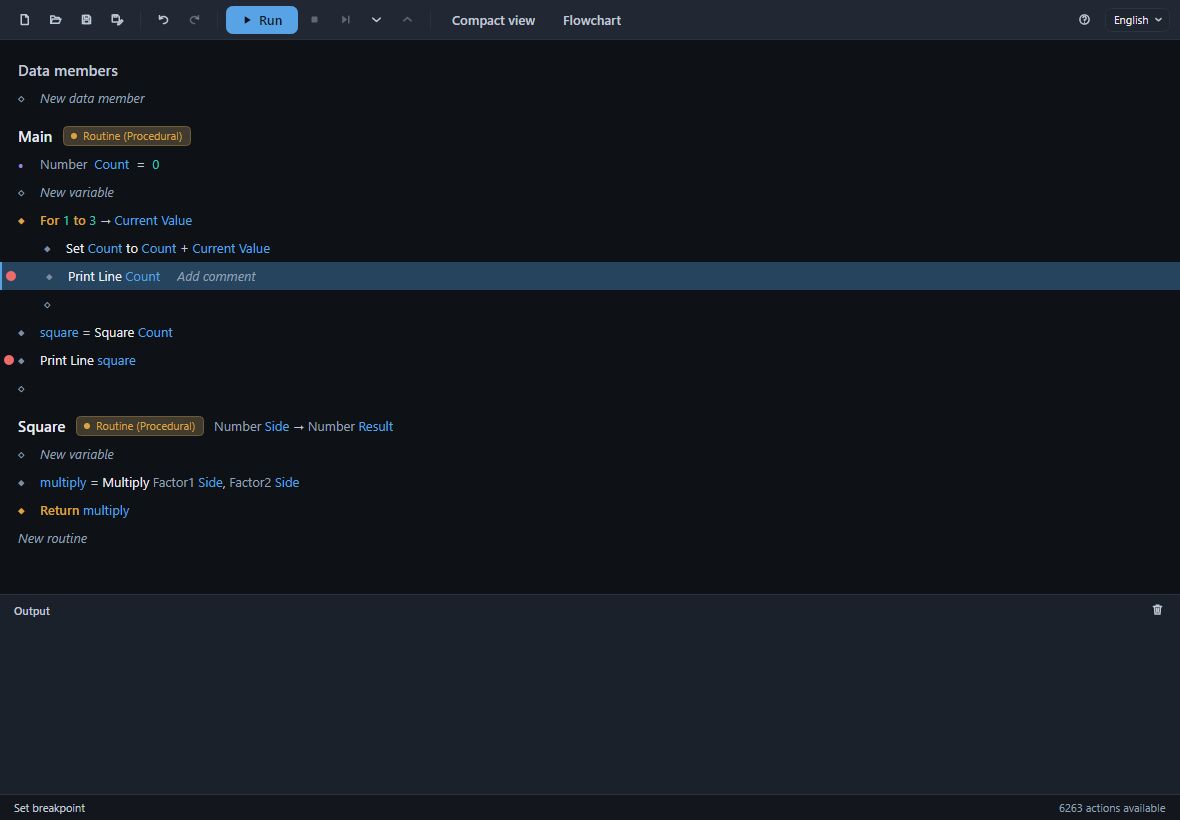
Breakpoints are saved with the program.
Run to it
Press Run (F5). The run stops before the first row with a breakpoint, and the window shows you where it is and what it knows:
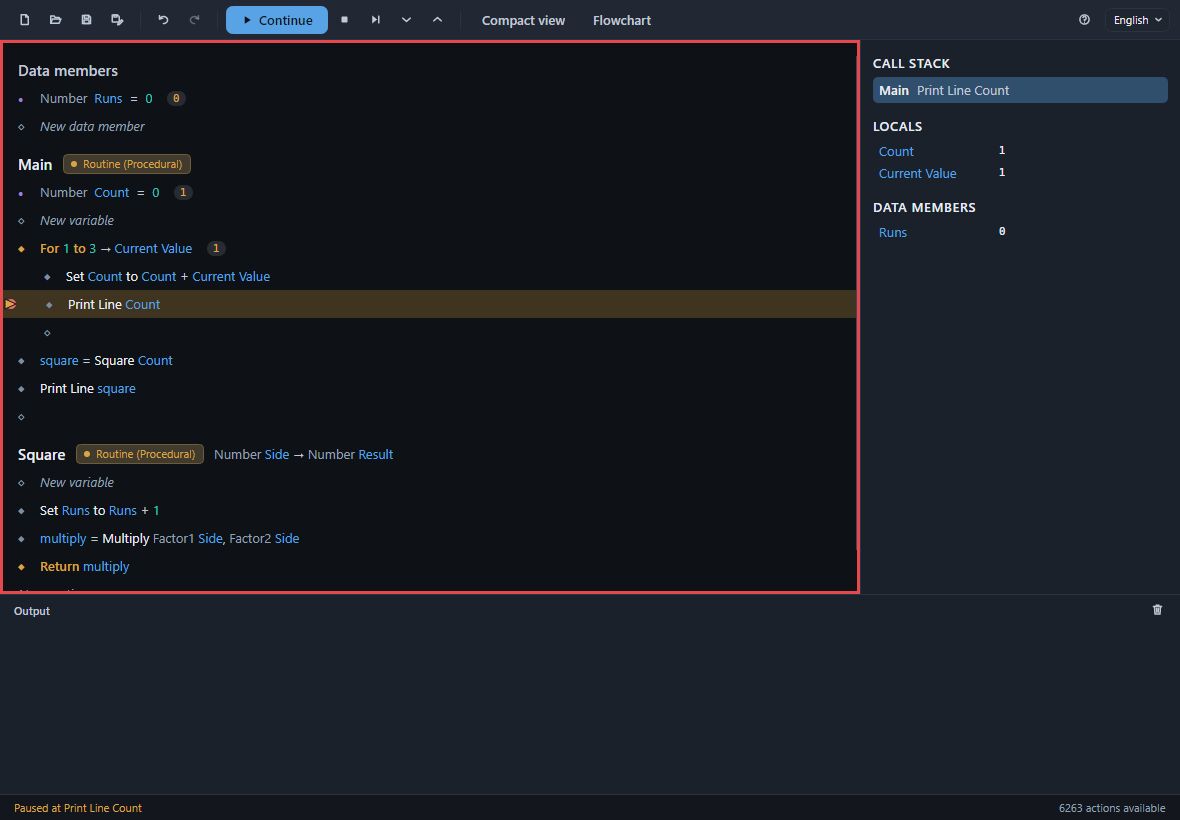
- The paused row is marked in amber, with an arrow in its margin. It has not run yet.
- Values beside the rows. Each variable and data member shows what it holds, and a loop shows its current value while the run is inside it - here the For loop is on 1, and
Countalready holds 1. - The red frame round the rows says a run is going on.
- The status bar says Paused at Print Line Count.
- Run has become Continue.
To start a run that stops before its very first row, with no breakpoint at all, press F11.
Step through
| Key | Toolbar | Does |
|---|---|---|
F5 |
Continue | Run on, to the next breakpoint or the end |
F10 |
Step over | Run the paused row and stop before the next one; a routine it calls runs whole |
F11 |
Step into | Into the routine the paused row calls, stopping before its first row |
Shift+F11 |
Step out | Run the rest of this routine and stop back in the one that called it |
Shift+F5 |
Stop | End the run here |
Stepping a loop's rows shows the loop's current value change at each pass; stepping a Set shows the variable change beside its row.
The debugging panel
From the start of a run to its end, a panel stands at the right of the rows. Each time the run stops it shows:
- Call stack - every routine the run is in, the innermost first, each at the row it is at. Main calls Square, so while Square runs the stack reads Square over Main.
- Locals - what the row chosen in the call stack can read: its routine's variables and inputs, the current value of each loop it is inside, and the results of the rows before it, each with its value.
- Data members - the program's data members and their values.
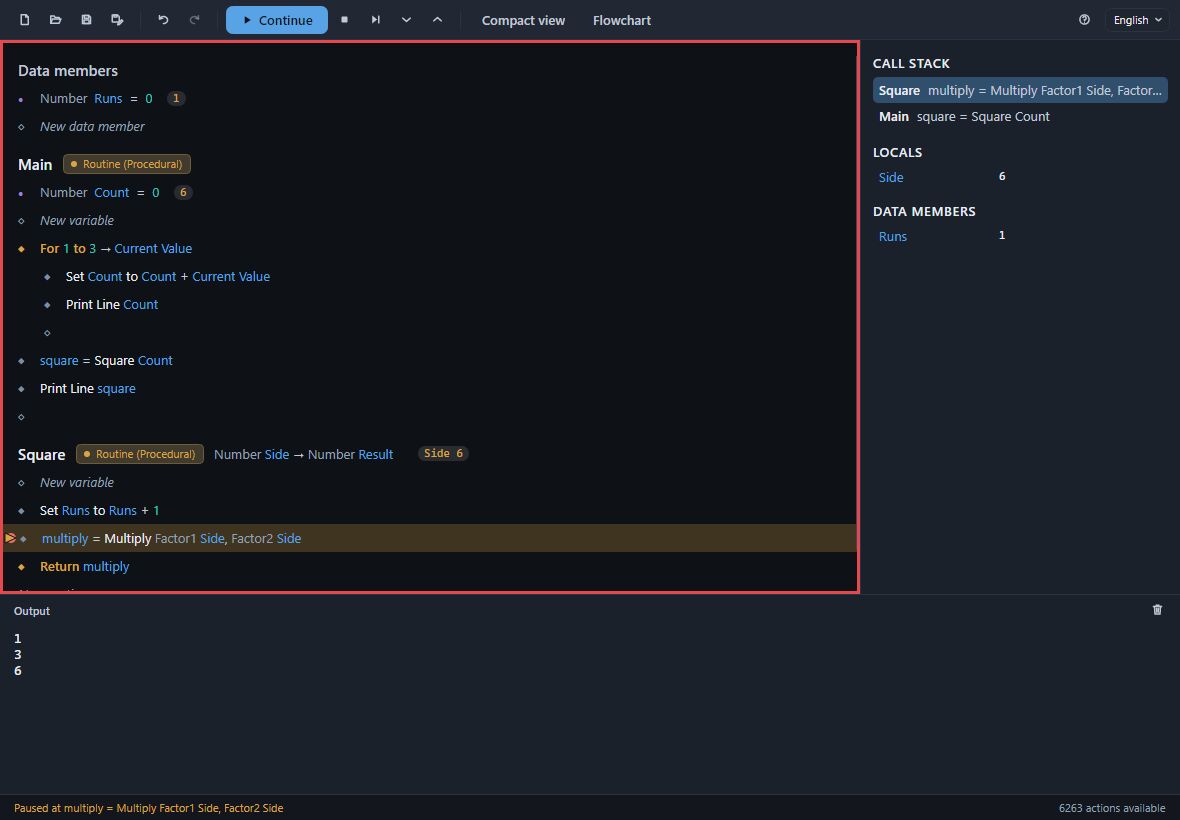
Press another routine in the call stack to see its locals and select the row it is at - here, pressing Main shows the values Main had when it called Square. The heading of a routine the run is in shows what it was given: Side 6.
When a row fails
A row can fail when the program runs: a file is not where it should be, a number cannot be divided by zero, text is shorter than the part asked of it. The run stops at that row: the row is selected, its message is printed in red under Output, and the status bar says why.
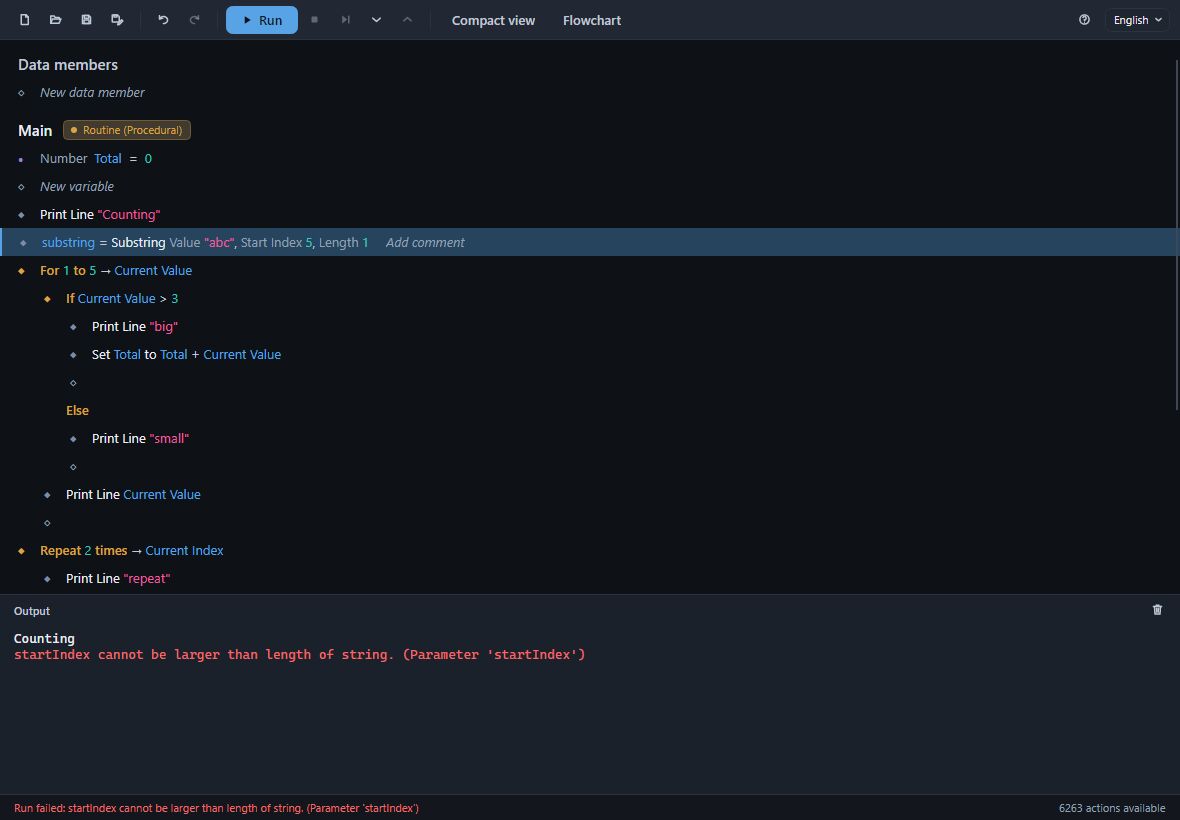
Fix the row - double-click it to open its card - and run again. When a failure is something the program should expect, such as a missing file, put the rows that can fail in a Try and decide in its Catch what to do instead.