
Methodox Splats
Methodox Splats turns a short video or a set of photographs into a 3D scene that can be looked at from any side. The scene is built on your own computer, by whatever graphics card it has, and you watch it sharpen as it is built. This kind of scene is called a Gaussian splat: a cloud of several hundred thousand soft coloured blobs that together look like the place.
- Version: v0.4
- Platforms: Windows 10 and 11, 64-bit
- Download: Methodox.itch.io
- Website: splats.methodox.app, with sample scenes to open
- Source:
Standalones/MethodoxSplatsin Parcel NExT
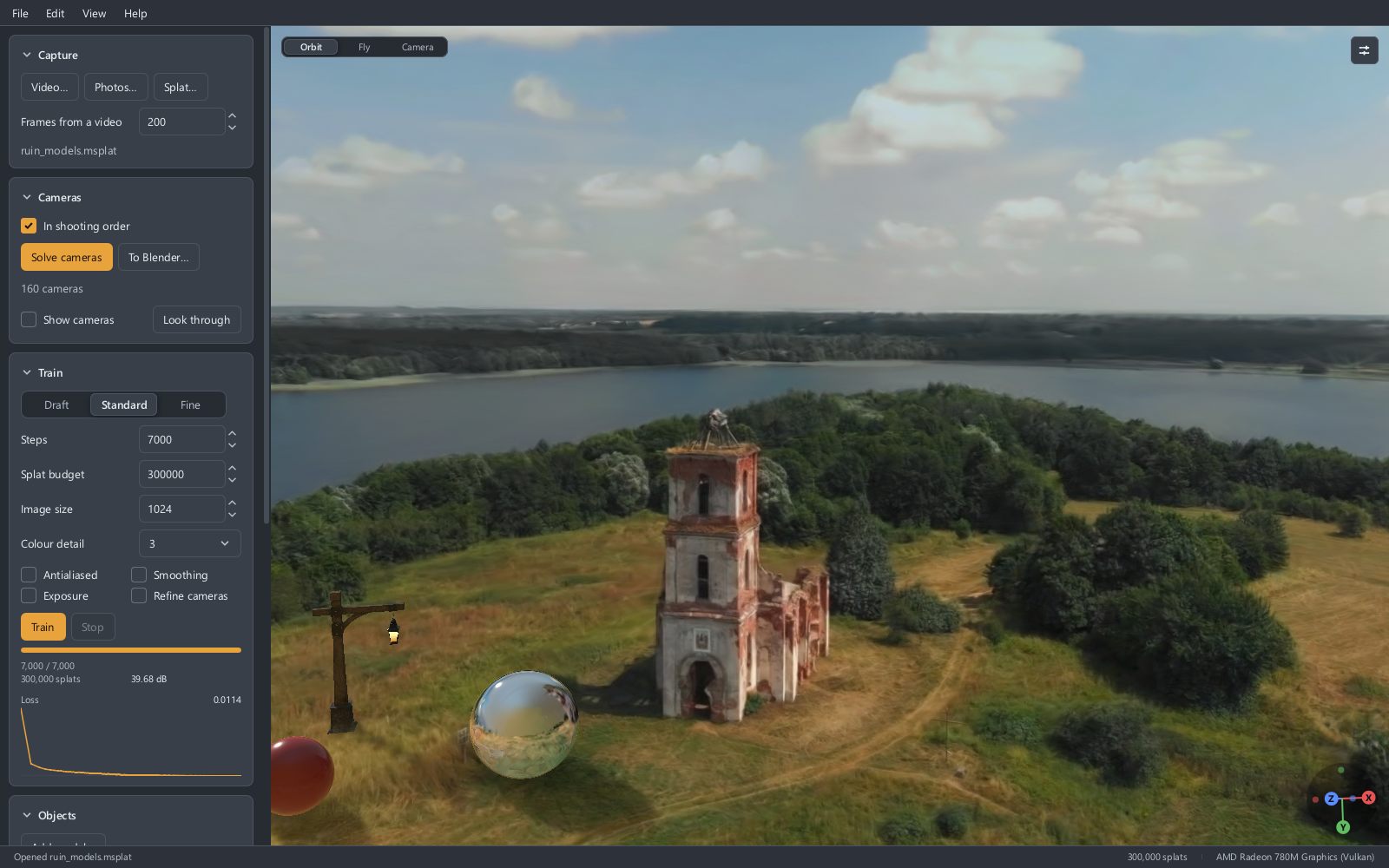
Nothing is uploaded and there is no account. The program needs no Python, no CUDA and no other software installed beside it, and it does not ask for a particular make of graphics card.
In this guide
- Filming for a scene: what to film, how many pictures it takes, and whether their order matters.
- Models and the sun: putting 3D models into a scene, lighting them, and setting a sun.
- Scenes that move: what a moving scene needs and how it is played.
- Files and formats: the project file, the formats it saves for other programs, and what each holds.
- The command line:
splats, which does every step without the window. - Keyboard and mouse
- Release notes
A first scene
The left side of the window is the work in the order it happens, top to bottom. Each section can be folded away by its title, and the program remembers which you folded.
1. Capture. Press Video… and choose a clip, or Photos… and choose a folder of photographs. Either can also be dropped on the window. From a video the program keeps the sharpest frame of each short stretch, 200 of them unless Frames from a video says otherwise.
2. Cameras. Press Solve cameras. The program works out where each picture was taken from. When it has finished, the view shows a thin cloud of points and a small outline for each camera, joined by a line in the order they were shot. This takes from under a minute to a few minutes.
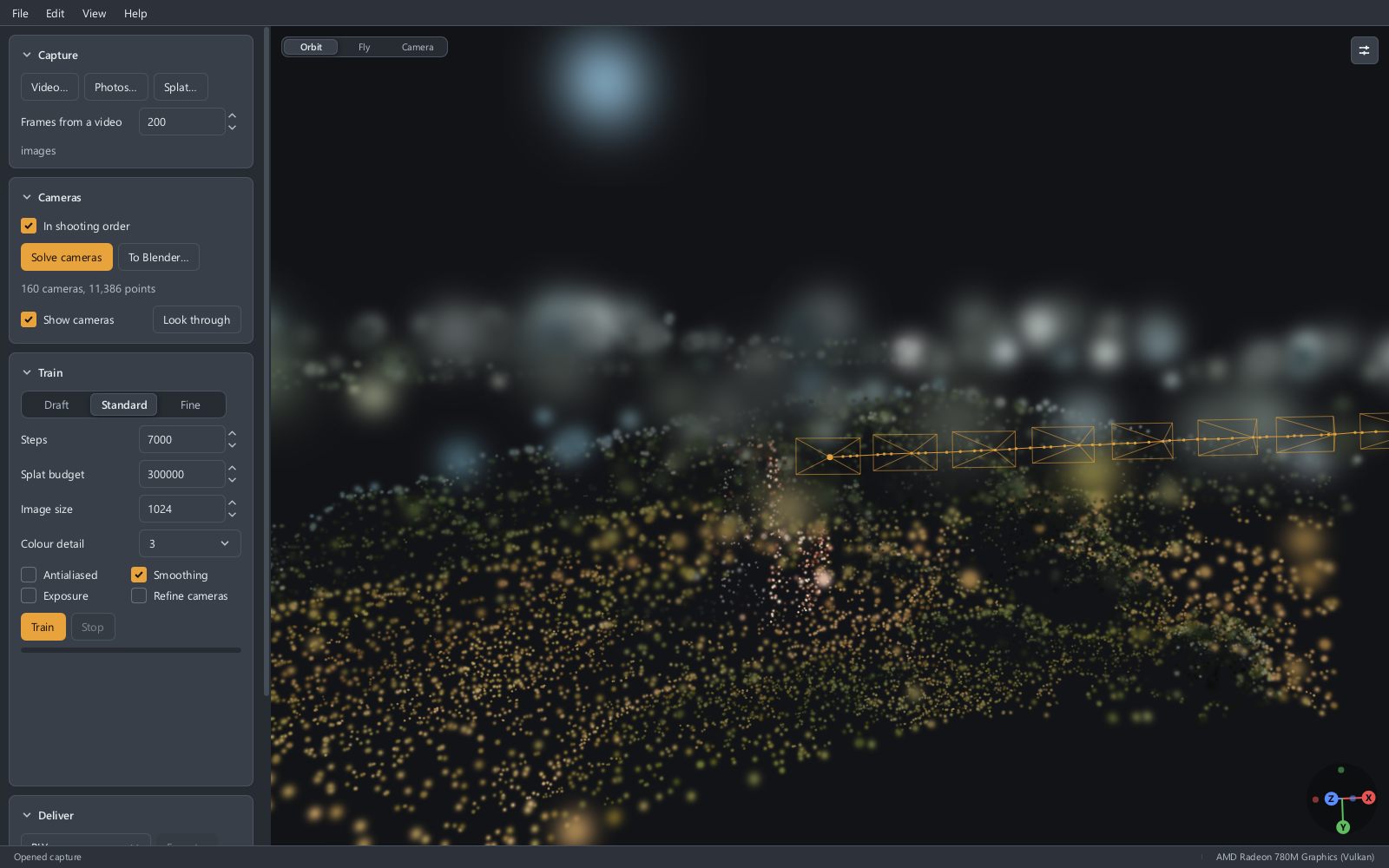
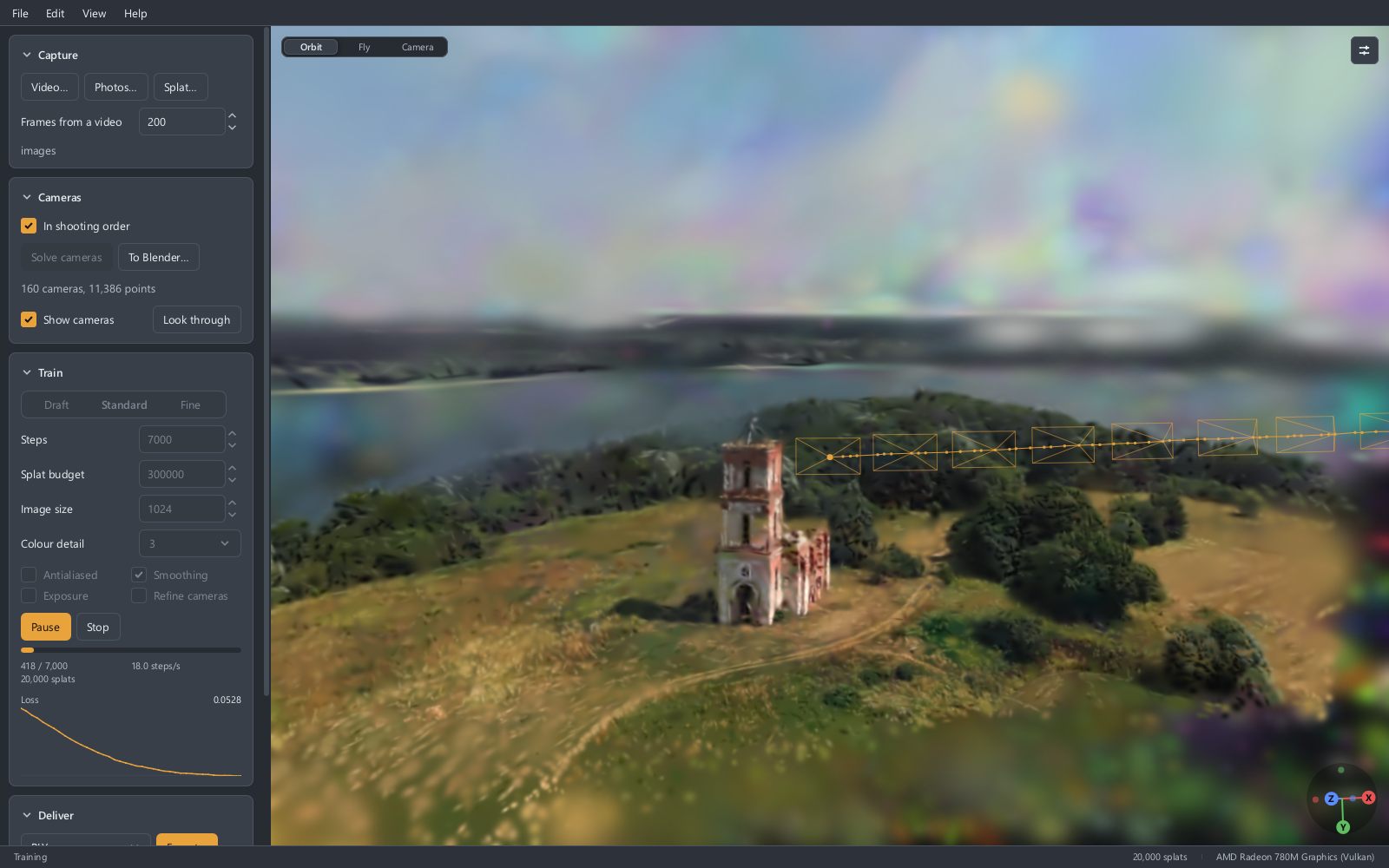
3. Train. Choose Draft, Standard or Fine and press Train. The scene forms in the view while you watch; you can orbit it as it trains. Standard takes a few minutes on a laptop. Stop keeps what there is.
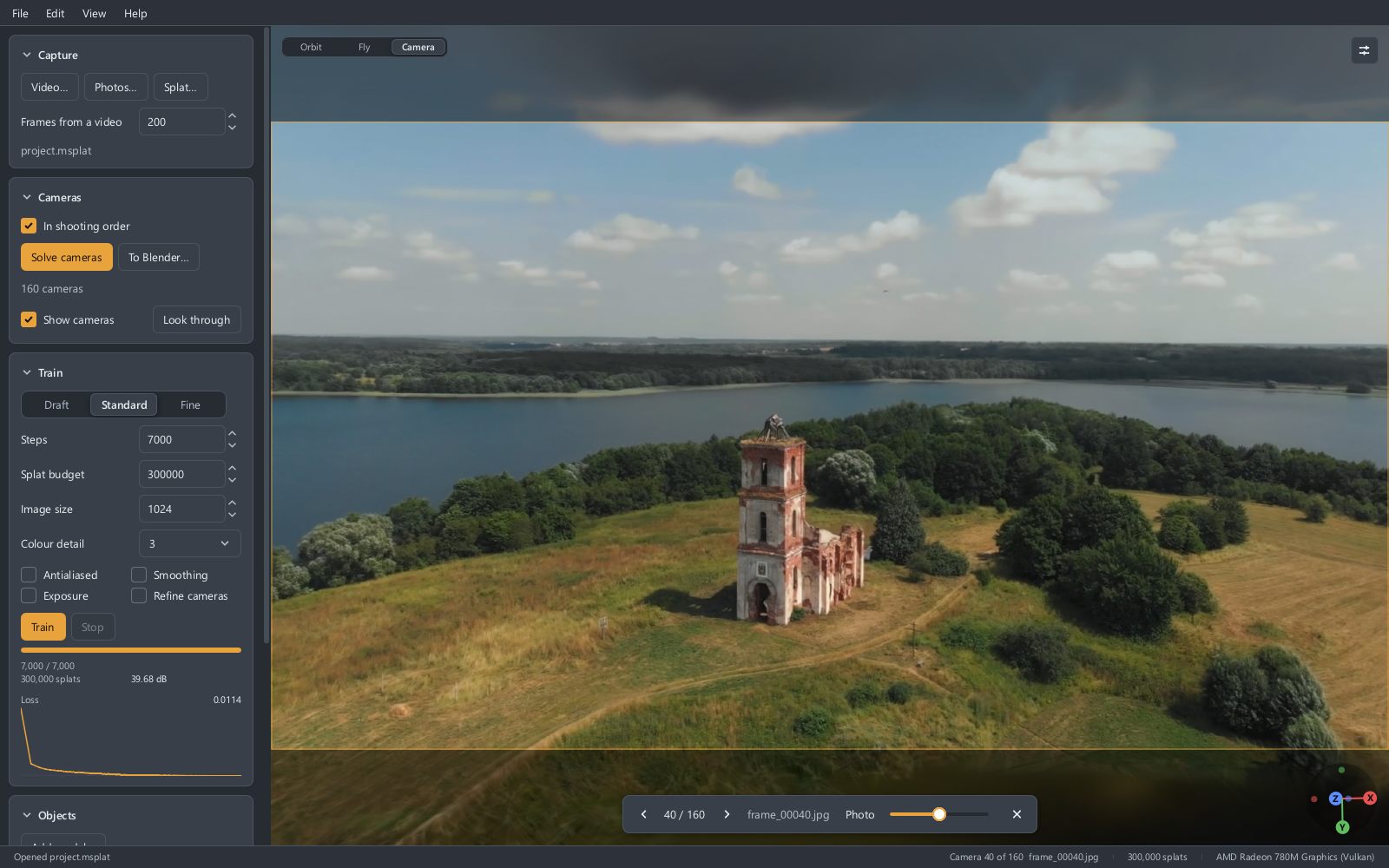
4. Look. Drag to orbit, scroll to zoom, drag with the right button to pan. Press C to stand where the nearest photograph was taken; a slider there fades the photograph in over the scene, which is the plainest way to see how close the two are.
5. Save. File > Save project (Ctrl+S) keeps everything as one .msplat file. Export… in the Deliver section saves the scene alone in a format other programs read, and File > Export video films a turn round it.
The sections
| Section | What it is for |
|---|---|
| Capture | Opens a video, a folder of photographs, or a splat file made elsewhere. |
| Cameras | Solves where each picture was taken. In shooting order says the pictures follow one another, as a video's frames do; see Filming for a scene. To Blender… writes the cameras as a Blender scene, with or without training anything. |
| Train | Builds the scene. The three presets set Steps, Splat budget and Image size together; each can be set alone. |
| Objects | Appears once there is a scene. Adds 3D models to it and sets their shade and the sun; see Models and the sun. |
| Deliver | Saves the scene for other programs, and tidies it: Remove faint clears haze, Crop to view keeps what the view is framed on, Reduce to makes it smaller. Undo takes back the last of these. |
What the training settings do
| Setting | More of it gives | And costs |
|---|---|---|
| Steps | A sharper scene, up to a point | Time, in proportion |
| Splat budget | Finer detail | Time, memory, and a larger file |
| Image size | Detail that holds up closer | Time and memory. A scene cannot be sharper than the pictures it was trained on. |
| Colour detail | Shine and highlights that change as the view moves | A larger file |
Smoothing is on unless you turn it off, and stops the scene breaking into needles and specks when seen from closer than the camera came. Exposure is for footage whose brightness or colour drifts from frame to frame. Refine cameras is for a camera solve that came out slightly off, which shows as a scene that stays blurred. Antialiased steadies fine detail seen from far away.
When training ends the program reports a quality figure in dB, measured on pictures it kept back and never trained from. About 25 is fair, 30 is good, and above 35 is hard to tell from the photograph. Help > Concepts (F1) in the program explains every word it uses.
Looking round
- Orbit is the mouse: drag, scroll, right-drag. F frames everything.
- Fly (Shift+F, or the switch at the top left of the view) moves with W A S D, E and Q for up and down, and a drag to turn the head. Esc goes back to orbiting.
- Camera (C) looks through one of the original cameras. Left and Right step along the capture; hold Space to flip between the photograph and the scene.
- T turns the view round the subject. K adds the current view to a camera path and P plays it. File > Export video writes the path, or the turn when there is no path, as a 1920×1080 MP4.
- F11 shows the scene alone on the whole screen.
Why a scene looks soft
- The pictures were small. Raise Image size, up to the size of your footage.
- It was trained briefly. Use Fine, or raise Steps and Splat budget.
- You are looking from where nobody filmed. A scene is only as good as it was seen. Behind the subject, high above it, or outside the path the camera took, the program had nothing to go by.
- The footage was hard. Motion blur, glass, mirrors, moving people, changing light and plain untextured walls all leave their mark.
Known limitations
- Windows only for now.
- A scene has no size of its own: nothing in a set of photographs says whether a room is a metre across or a mile.
- Glass and mirrors are reproduced poorly, as they are by every program of this kind.
- The quality figure describes how well the pictures are reproduced, not how the scene looks from somewhere new.
- Models placed in a scene do not move, and nothing is drawn clear.
References
- Methodox Splats on itch.io
- splats.methodox.app
- Kerbl, Kopanas, Leimkühler and Drettakis, "3D Gaussian Splatting for Real-Time Radiance Field Rendering", 2023: the method the program implements.