
Methodox Action Maker
Methodox Action Maker is a small editor where a program is written as rows: one action a row, read top to bottom like a recipe, with the rows an If or a loop holds indented under it. It is the way RPG Maker XP writes its event commands, over the whole of Divooka's set of actions - print a line, rename a file, convert a picture, press a key in another program - and it debugs like a real programming tool: breakpoints, stepping, and every value shown beside the row that made it.
It is made for two kinds of work:
- Small automation scripts. A dozen rows that tidy a folder, convert a batch of files or fill in a form are quicker to write as a list than as a diagram, and quicker to read again next month.
- Learning to program. Variables, conditions, loops and routines are all here, each written as a sentence you can read aloud, and you can watch the program run one row at a time.
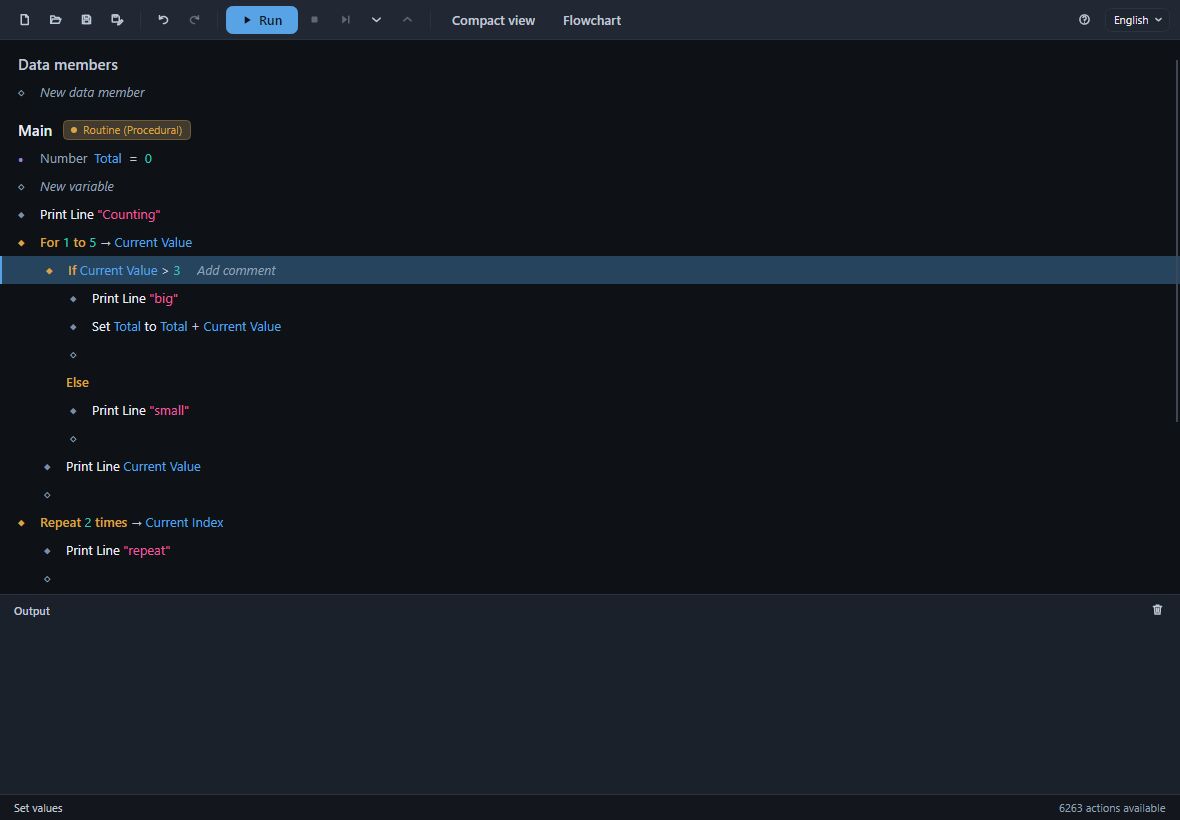
Every program is saved as a Divooka document (.dvk), so a program written here also opens in Divooka Explore and Divooka Compute, drawn as nodes on a canvas.
Getting it
- Inside Divooka Explore and Divooka Compute.
MethodoxActionMaker.exeis in the editor's own folder (in Divooka Compute from its Standard edition), and its actions are everything that editor offers. - On its own, free - coming soon on itch.io. The standalone carries a smaller set of actions chosen for everyday automation: the basic programming actions, desktop automation, converting media files, working with files and folders, and text.
It runs on Windows. The window is dark, and English and Simplified Chinese are built in.
Read in this order
- Your first program - the window, adding rows, picking actions and giving them values, running and saving.
- Variables and data members - values a routine keeps, and values the whole program shares.
- Control flow - If and Else, the loops, Sequence, Break, Continue and Return, and Try.
- Routines - your own routines with inputs and outputs, and the names results are given.
- Comments and views - comments, the row menu, the compact view and the flowchart.
- Debugging - breakpoints, stepping, the call stack and the values while a run is paused.
- Keyboard shortcuts - every key in one table.
If you already write Divooka in Divooka Explore or Divooka Compute, read Action Maker programs and Divooka documents: what a program becomes on the canvas, and what to keep in mind when you edit the same document in both.
See also
- Divooka Explore and Divooka Compute - the node editors for the same documents.
- Divooka Language - the language every Action Maker program is written in.