
Comments and views
Comments
A comment is a note for whoever reads the program next - including you. It is shown dim and in italics at the end of its row, and the program ignores it.
- Select a row and press Add comment at its end, or
Ctrl+/, and type. - On an action, it is a line comment: about that row.
- On a flow control row - an If, a loop - it is a block comment: about that row and every row it holds.
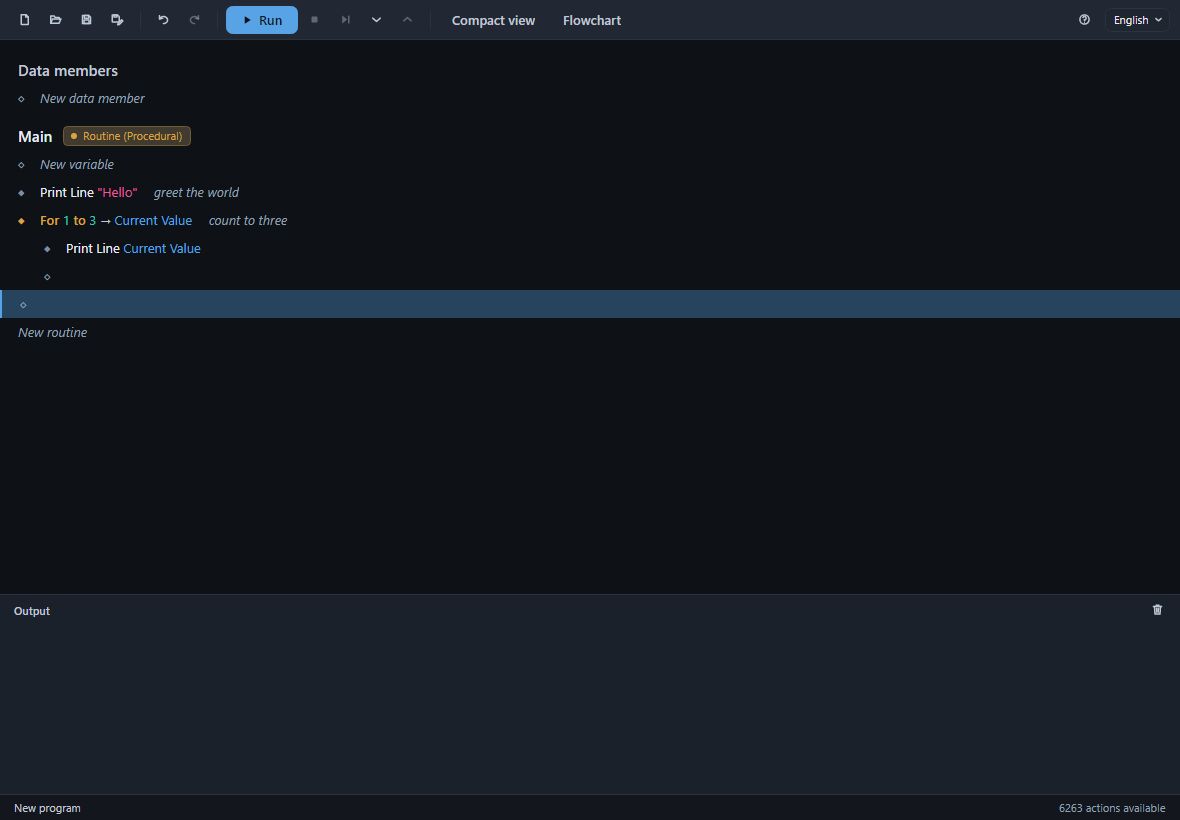
Click a comment to change it; empty it, or press Delete on its card, to remove it.
The row menu
Right-click a row to select it and open its menu.
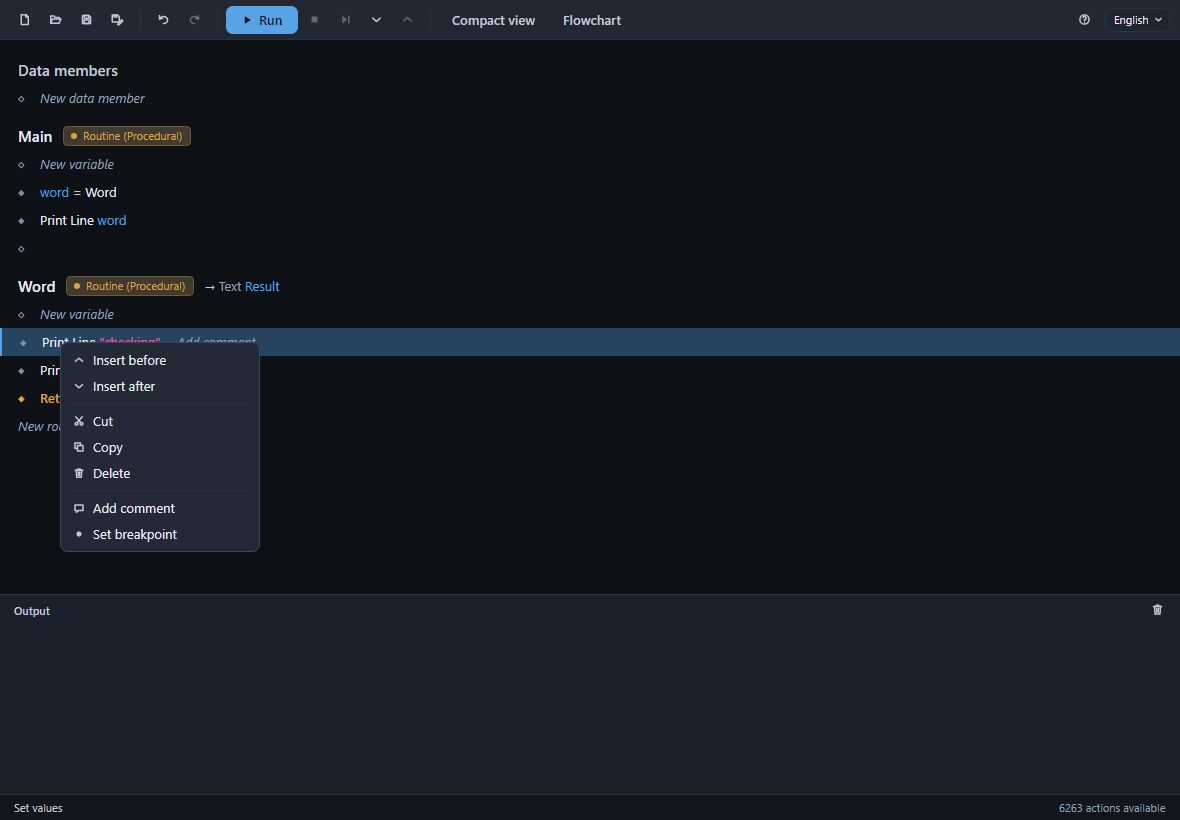
- On an action or a flow control: Insert before and - where something may follow it - Insert after, Cut, Copy, Paste, Delete, its comment and its breakpoint. Each command's key is in its tooltip.
- On an empty row: Add a row.
- On a variable, a data member or a routine's heading: Edit… and Delete.
While a run is paused, the menu offers only what can be done during a run, such as breakpoints and copying.
The compact view
Compact view on the toolbar shows the program with less drawn: no marks at the left, no empty rows, no Else with nothing in it, no heading over data members when there are none. It is the way to read a finished program, or to show one to somebody.
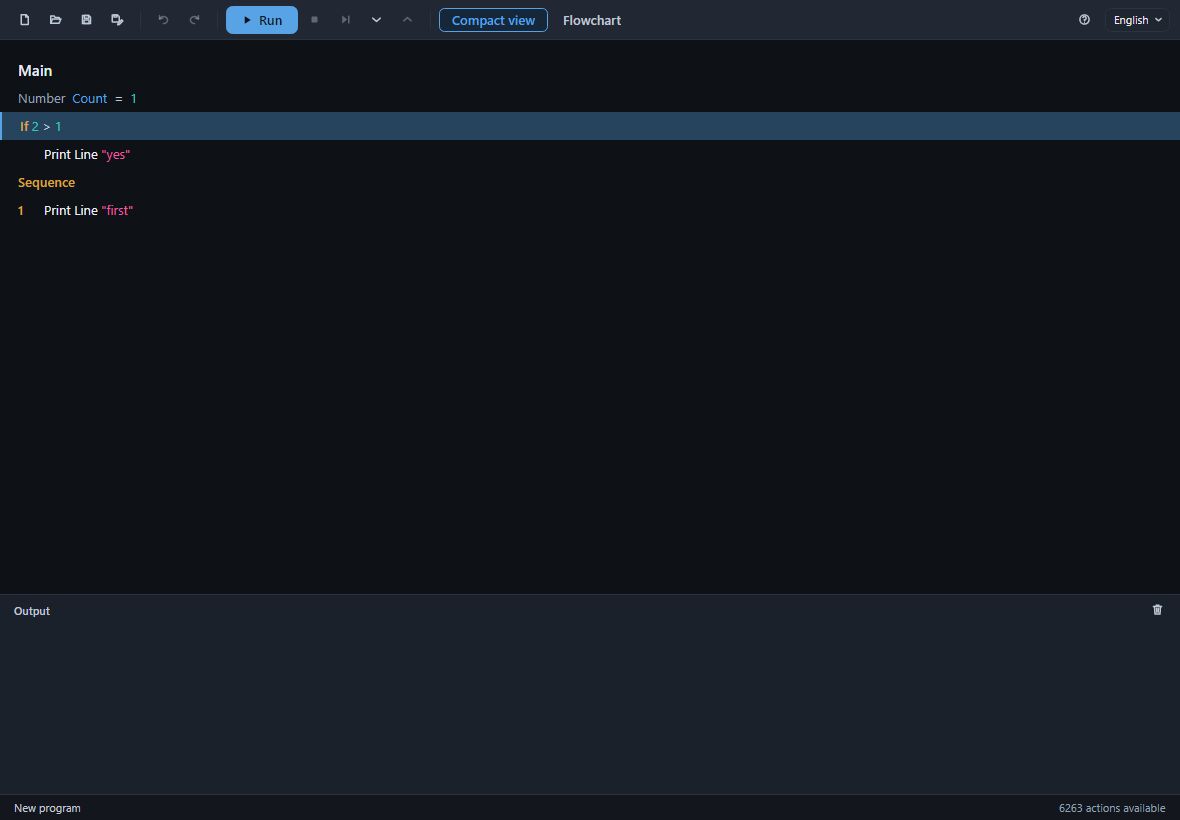
Nothing is edited in the compact view. An edit you ask for there says so on the status line - Cannot edit in compact view: turn it off first. Breakpoints, copying and runs work as they do anywhere.
The flowchart
Flowchart on the toolbar draws the routine of the selected row as a flowchart, read from the top down:
- each row a card, with its sentence on it;
- an If a fork, its Then and Else paths side by side;
- a loop a frame round its rows, with a line going back up beside it;
- a Sequence's parts one under another.
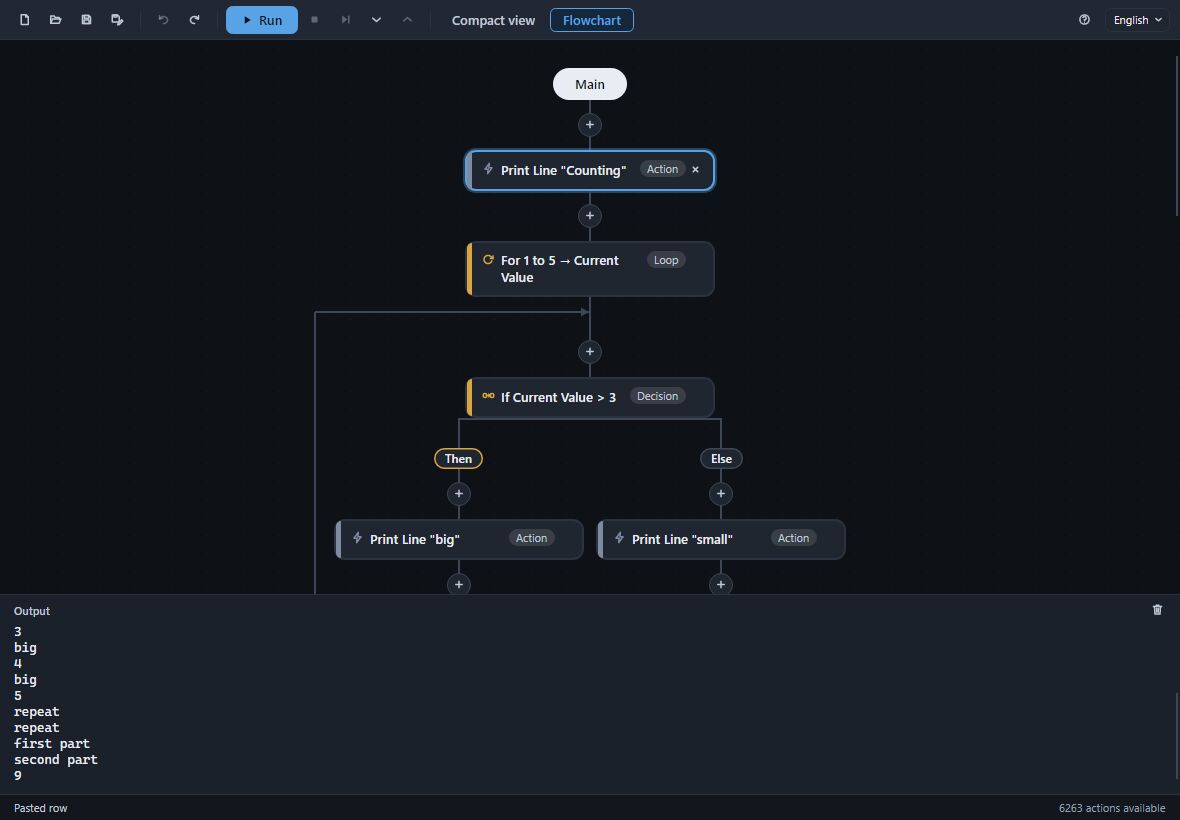
It is the same program, not a copy: press a + to put a row there, drag a card onto a + to move it, and press the × on the selected card, or Delete, to take it out. Each edit is one step of the same undo history as the rows. The flowchart cannot be edited in the compact view or while a run is going on.
Press Flowchart again to go back to the rows. Divooka Explore and Divooka Compute draw a Routine the same way, with their Steps switch.