
Several Cameras, and People Walking Through
A capture does not have to come from one camera on one walk, and the place does not have to be empty. This page is about scenes that hold still. A scene that moves is filmed differently; see Scenes that move.
Photographs from several people or cameras
Photographs from more places make a better scene, and they can come from different people and different cameras. Give each person or camera a folder, put the folders in one folder, and open that with Folder…:
<scene>/
  <anna>/     IMG_0001.jpg  IMG_0002.jpg  ...
  <ben>/      DSC_0001.jpg  ...
  <phone>/    ...
- Each folder is one camera. It gets a lens of its own, so a phone and a large camera can be mixed, and their pictures can be different sizes and shapes.
- Each folder is in its own order. With In shooting order ticked, each folder is taken to be in the order that person shot it. Nobody has to rename anything so that the folders follow one another.
- Let the walks overlap. Photographs from different people are joined through the parts of the scene that more than one of them photographed.
Before the solve, the Cameras section lists the folders and how many photographs each holds, so a folder that should not be there is easy to spot. After it, each is listed with how many of its photographs were placed, and the view draws each person's path by itself.
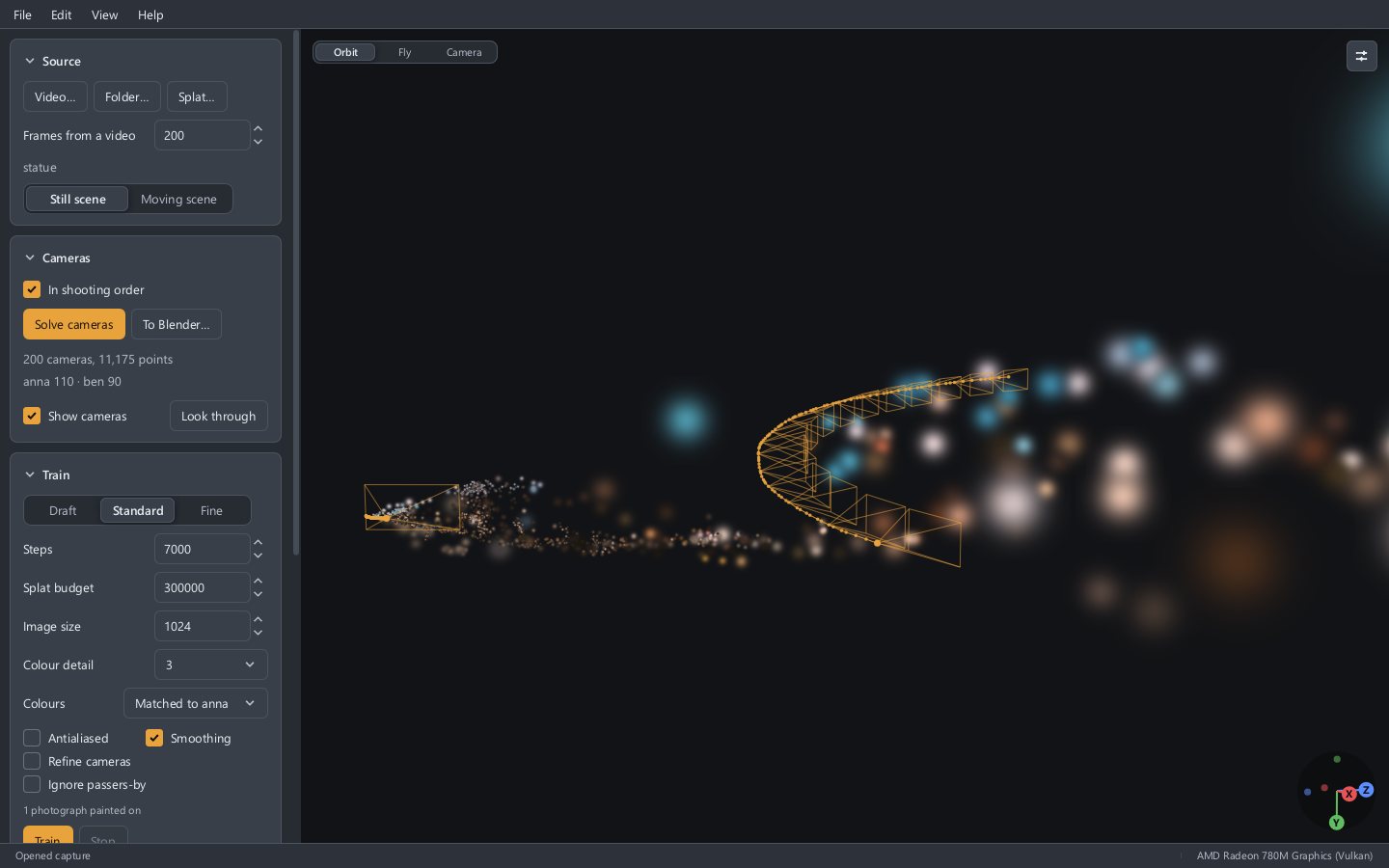
Several videos of a still scene, each one person's walk round it, work the same way: put them in one folder, open it, and choose Still scene on the switch described next.
On a test courtyard, adding two more people's photographs to one person's raised the quality of views that nobody had photographed from 19 dB to 23 dB. The first person's own views lost 2 dB, because the same scene now covers a much larger place.
Still scene or moving scene
A folder of folders, or a folder of videos, can be either of two things: several people's pictures of a scene that holds still, or one moving scene filmed by several cameras at once. Nothing in the files says which, so the program guesses:
| The folder holds | It is taken for |
|---|---|
| Folders of pictures that hold different numbers of pictures | A still scene from several cameras |
| Folders of pictures that all hold the same number | A scene that moves, since cameras that filmed together took the same number of frames |
| Videos | A scene that moves |
Under the source's name a switch shows what it chose, Still scene or Moving scene. Flip it if the guess was wrong. The choice is remembered with the folder.
Colours
Two cameras rarely agree about colour and brightness. Left alone, each part of the scene looks the way the camera that photographed it saw it, and the joins can show as patches.
When a capture has several cameras, the Train section shows Colours:
| Choice | What it does |
|---|---|
| Matched to a camera | Each camera gets one colour correction, and the whole scene comes out in the look of the camera you choose. The one that took the most photographs is chosen to begin with. |
| As photographed | No correction. |
In a test with three cameras set differently, the different looks cost 1.1 dB and matching gave back 0.8 dB of it.
How long to train
Draft, Standard and Fine set the steps and the splat budget from the number of photographs.
| Photographs | Draft | Standard | Fine |
|---|---|---|---|
| Up to 200 | 2,000 steps, 150,000 splats | 7,000 steps, 300,000 splats | 30,000 steps, 600,000 splats |
| 420 | 4,000 steps, 300,000 splats | 14,500 steps, 650,000 splats | 63,000 steps, 1,250,000 splats |
A step trains from one photograph, so more photographs need more steps for each to have its turn, and a larger place needs more splats to cover it. The numbers follow the capture until you type one yourself. Pick a preset again to go back to following.
Passers-by
Somebody who walks through is in a different place in every photograph, so the scene has nowhere to put them. They do not come out as people. They come out as faint smears where they walked, and the whole scene is a little less sharp: with fourteen people in every photograph of a test courtyard, a long run lost 1.3 dB.
Tick Ignore passers-by in the Train section and Train runs twice:
- A short first run of 4,000 steps, shown as Finding passers-by. It learns the scene well enough to draw each photograph's view.
- Each photograph is compared with that drawing, and the parts that differ strongly are marked. Those are what the photograph shows and the scene does not hold.
- The run that is kept, from the start, with the marked parts left out.
On the test courtyard this gave back about half of what the people cost, and it cost nothing on a courtyard with nobody in it. It adds the time of the first run.
When training is over, the Train section says how much of the photographs was left out. To see where, look through a camera: what was left out is tinted blue over the photograph.
It finds people who stand out against what is behind them. It can miss somebody dressed in the colour of the wall they pass. Somebody who stands in one place for the whole shoot is part of the scene as far as it can tell: paint them out by hand.
Painting things out
What the search misses, and things it cannot know about, such as your own shadow or a car that drove away half-way through, can be painted out of a photograph by hand.
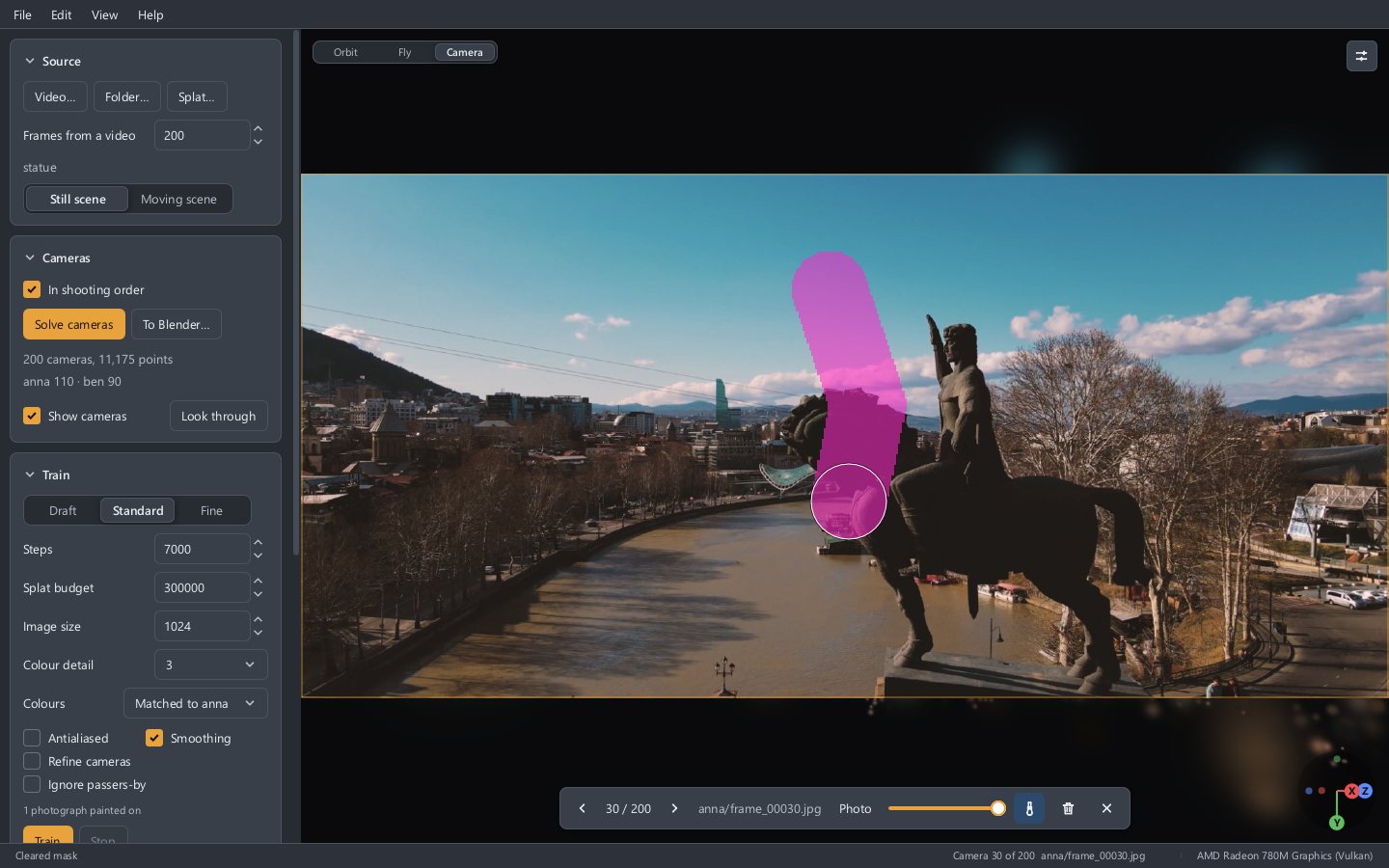
- Look through a camera: click one in the view, or press Look through or
C. - Press the brush on the bar under the photograph.
- Paint over what should not be trained from. It shows in pink.
| Key or action | Does |
|---|---|
| Drag with the left button | Paint |
Drag with the right button, or hold Ctrl |
Rub out |
[, ] |
A smaller brush, a larger brush |
| The bin on the bar | Clear this photograph |
Left, Right |
The photograph before, the one after, with the brush still up |
Esc |
Put the brush down |
What you paint is used by every training run from then on, so paint first and train after. The Train section says how many photographs have something painted out.
The masks are kept in .splats/masks inside the folder you opened, as PNG pictures named after their photographs, white where painted. Masks made in another program can be put there too; a mask only has to be the same shape as its photograph, not the same size.
A camera in the wrong place
In a place that repeats itself, such as an arcade, a row of identical windows or a tiled hall, a photograph can be matched to the wrong copy and placed metres from where it was taken. A few such cameras leave doubled, ghostly detail in the scene.
With In shooting order ticked, the program checks each camera against the ones taken just before and after it:
- A camera that stands apart from them is moved back beside them when its own matches support that place as well as the place it was given.
- One that stands far off and shares almost no points with its neighbours is left out. The Cameras section says how many were.
- A real long stride is left alone.
The check cannot catch everything. On a test cloister whose arcade repeats every three metres, it dealt with every camera that had been placed two bays or more from where it stood, which was six to thirty metres. Nine of 140 photographs from the hardest walk were still one bay out. If you see doubled detail, look through the cameras near it with the photograph faded in: a camera in the wrong place shows the photograph and the scene out of line.