
Routines
A routine is a named list of rows you can run from anywhere in the program, as often as you like - what other languages call a function or a procedure. Main is a routine too: the one the program starts with. Write a routine when the same few rows are needed in more than one place, or when a long Main reads better as a few named steps.
Create a routine
- Double-click New routine, under the last routine.
- The card asks for its Name, and for its Inputs and Outputs, each a type and a name. + adds one, − takes it away.
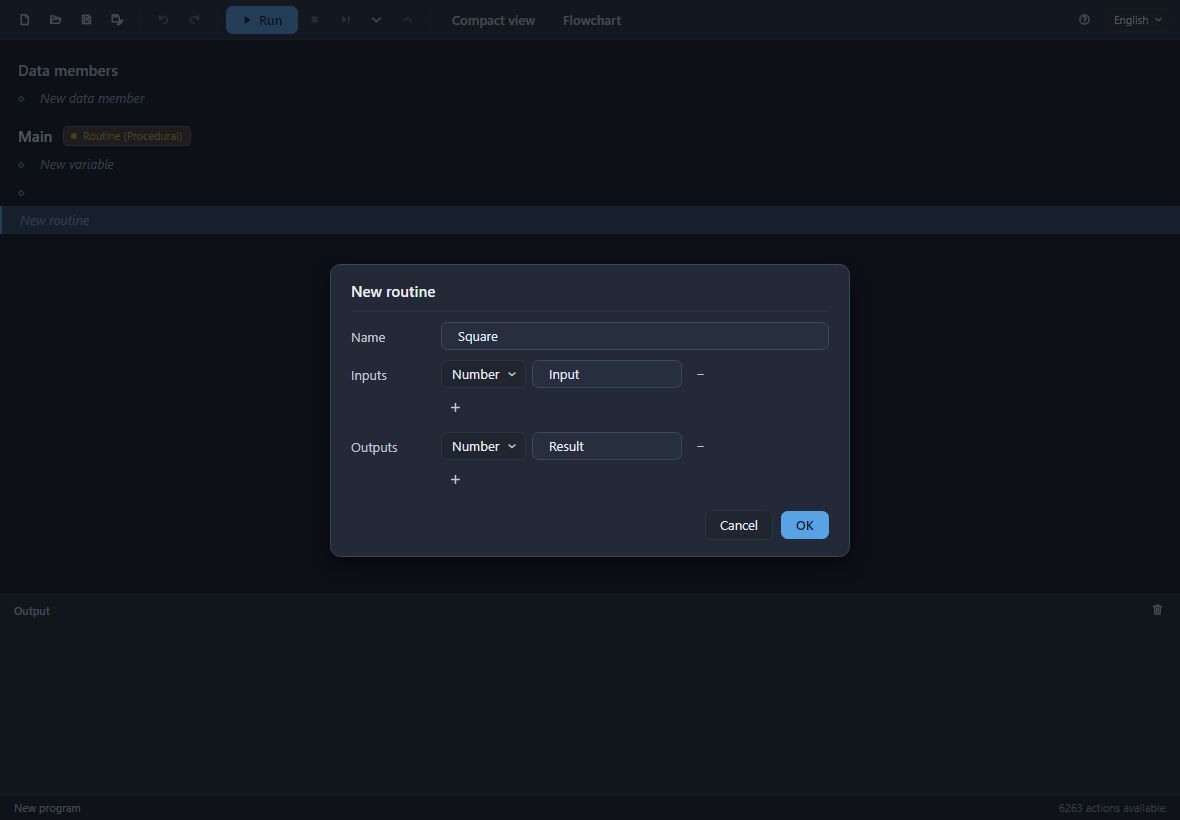
- Press OK. The routine appears with its own heading, its own New variable row and its own rows. The heading reads its inputs and outputs the way a declaration does, type first:
Number Side → Number Result.
Inside the routine, its inputs are values like any other: choose them as a value's source on a card. Double-click the heading at any time to rename the routine or change its inputs and outputs; every call follows.
Return its results
A routine with outputs answers them with Return: Return multiply hands back the result of the row called multiply. Return also ends the routine there and then, wherever it stands - see Control flow.
Call it
Every routine of the program is in the picker, in its Routines group. Pick it in another routine's empty row and give its inputs their values on the card, as you would for any action: square = Square Count. A routine's outputs are that row's results, read by later rows by name.
While debugging, F11 on a row that calls a routine steps into it, and the debugging panel shows which routine called which.
Names of results
A row that produces a value says what it calls it, before an equals sign: multiply = Multiply Factor1 6, Factor2 7. Later rows read it by that name - Print Line multiply - by choosing it as a value's source.
The names are given for you, never typed. Each is the action's name in the form a programmer would write it - Multiply's multiply, a Get of Total getTotal, a call of Square square - and when a name is already taken in the routine, by another row's result, a variable, an input or a data member, the next is numbered: multiply1, multiply2. Names follow the order of the rows, so a row added higher up takes the first name, and every row reading the old names is updated to follow.
These are the same names Divooka gives these values when it turns the program into C#, which is why they are given rather than chosen.