
Launcher
Launcher is a self‑contained, ultra‑lightweight app launcher inspired by Rainmeter gadgets—only faster, non‑intrusive, and ready to integrate right into your PATH. Think of it as an extended, pocket‑sized taskbar for power users who want to open executables, folders, and URLs with a single command or click.
GUI
CLI
Key Features
Rapid Launching • Open any
.exewith arguments • Jump straight to file or folder locations • Fire up websites in your default browserFlexible Configuration • Human‑friendly YAML file (
Configurations.yaml) • Supports verbatim commands (!prefix) and output monitoring (!?)Cross‑Platform Core • Pure .NET solution—no Windows‑only APIs (aside from using
explorer.exeto open folders)Rich CLI
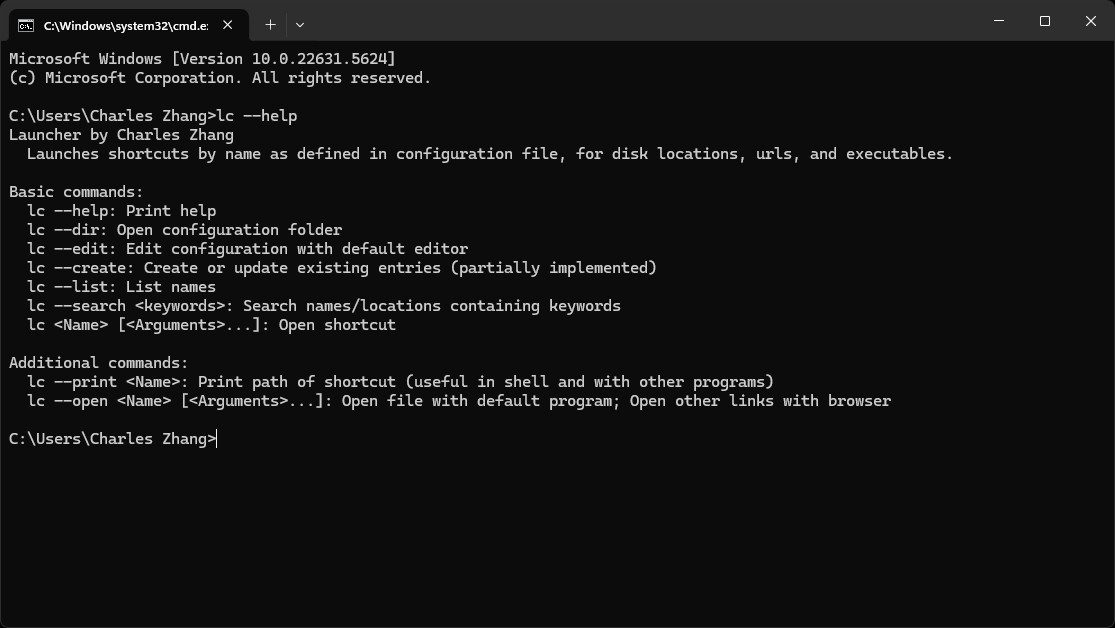
lc --list              # List all shortcuts
lc <Name> [<Args>…]    # Launch a shortcut by name
lc --search <keywords> # Fuzzy‑match names or paths
lc --print <Name>      # Show the underlying path (great for scripting)
lc --edit              # Open config in your default editor
lc --open <Name>       # Open with default program/browser
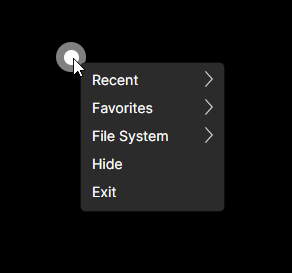
Big White Dot GUI • Semi‑transparent, always‑on‑top dot for one‑click access • Tray‑icon context menu with Recent, Favorites, Common Folders • Double‑tap to edit configuration on the fly
Installation & Setup
Download the latest release from Itch.io: methodox.itch.io/launcher
Add to PATH (optional but recommended) for instant access via
lcorlauncher.Configure your editor for
.yamlfiles!- On Windows, ensure your default program for
.yamlisn’t a script wrapper (e.g. VS Code’sbinfolder). - Point it to the actual executable directory (e.g.
%UserProfile%\AppData\Local\Programs\Microsoft VS Code). - Otherwise, editing your config will trigger “Application Not Found.”
- On Windows, ensure your default program for
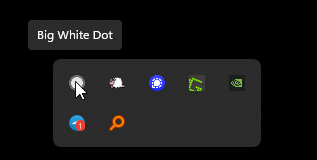
When launching GUI, it's also available in Task Tray on Windows:
Configuration
Your shortcuts live in a plain‑text YAML at:
%APPDATA%\Launcher\Configurations.yaml
# Format: Name: Path
# Use '!' prefix for verbatim commands
# Use '!?'' to capture process output

# Examples
Editor: "C:\Program Files\MyEditor\editor.exe"
Docs: "C:\Users\You\Documents"
Search: "https://google.com/search?q="
Build: !? dotnet build MySolution.sln
Roadmap
- Support in‑line comments in config
- In‑place argument placeholders (e.g.
Build {project}) - TUI‑style interactive mode (
lc --interactive/-i) - Comprehensive unit tests for config parsing
Changelog Highlights
- v0.1.0 – Initial functional release
- v0.1.3 – Added
--openfor default‑program launching - v0.1.7 – Big White Dot GUI & core refactor
For full history, see the GitHub changelog.
Useful Links
- Official Website: https://methodoxtech.github.io/Launcher/
- GitHub Repository: github.com/MethodoxTech/Launcher
- Itch.io Download: methodox.itch.io/launcher