
Installing and Starting
Getting it
Divooka Explore is distributed through its Steam page, and an earlier preview can be downloaded from itch.io. Check the store pages for the current release; Divooka Explore releases lists the versions.
It runs on Windows, and it needs nothing else installed: the runtime it is built on and every package it offers are in its own folder. A downloaded archive has to be extracted whole, and the folder kept together.
Starting it
Start it from Steam, or run DivookaExplore.exe in its folder. It opens on the start screen.
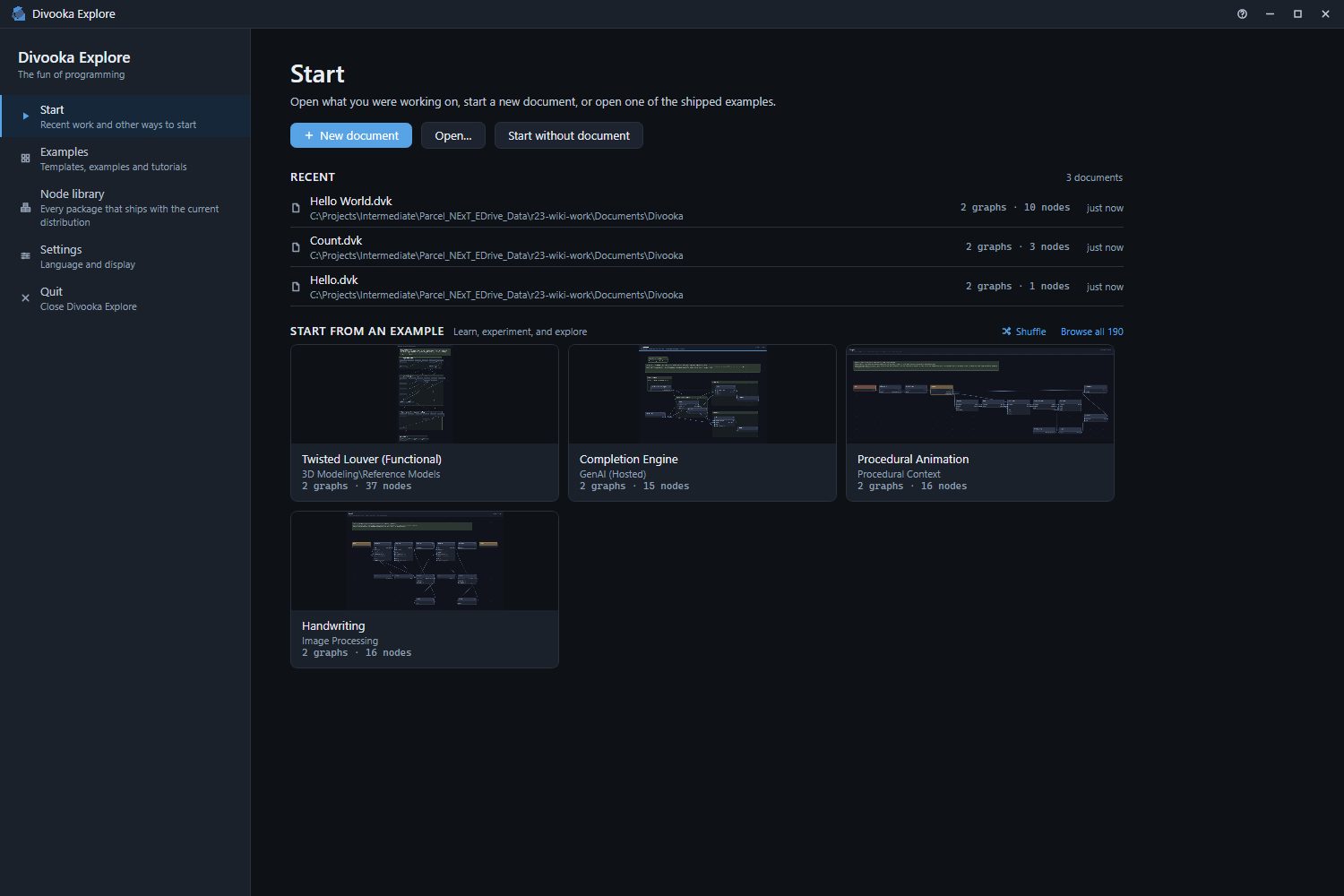
From here you can create a document, open one, or open a copy of an example. The window walks through the screen, and Your first program makes a document from it.
Opening a document from outside
- Drop a
.dvkfile ontoDivookaExplore.exe, or open a.dvkwith it from your file browser. - With Divooka Explore open, drop a
.dvkfile onto its window: it opens as Open… would open it. - From a command line, name the document:
DivookaExplore.exe "C:\Work\My Program.dvk". --languagefollowed by a language's name starts in that language -DivookaExplore.exe --language Chinese. The language can be changed at any time in Appearance and settings, and is remembered.
DivookaExplore.exe --help lists the options.
What it keeps on your computer
Divooka Explore works on your machine and sends nothing on its own: no account, no telemetry, no crash reports and no update check. Something leaves the machine only when you ask for it - a link in the help menu opens your browser, and a document you run reaches whatever services its own nodes call.
Besides the documents you save, it keeps three things in %AppData%\DivookaExplore: the list of recent documents; its preferences - the UI scale, the panel widths, the view toggles, the language and the other choices in Appearance and settings; and the Autosaves folder, where auto-save keeps its copies until a document is saved or closed - see Saving. About and help (the question mark in the title bar) ▸ Privacy says the same, with the folder's full path.
The folder it runs from
| Folder | What it holds |
|---|---|
Examples |
The examples it ships, by category. They are opened as copies and never changed - see Examples. |
Licenses |
The license of Divooka Explore and of every open-source component it ships, one file each. About and help ▸ License shows the first and opens the folder. |
The rest of the folder is the application and its packages. Leave it as it is.