
Launcher
Launcher 是一个自包含、超轻量的应用启动器,灵感来自 Rainmeter 小部件——但更快、不打扰,并且可以直接集成到你的 PATH 中。你可以把它看作一个扩展的袖珍任务栏,面向希望通过一条命令或一次点击就打开可执行文件、文件夹和 URL 的高级用户。
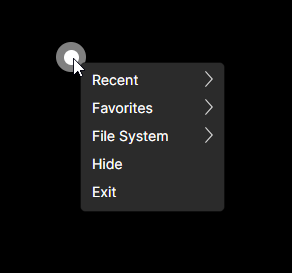
GUI
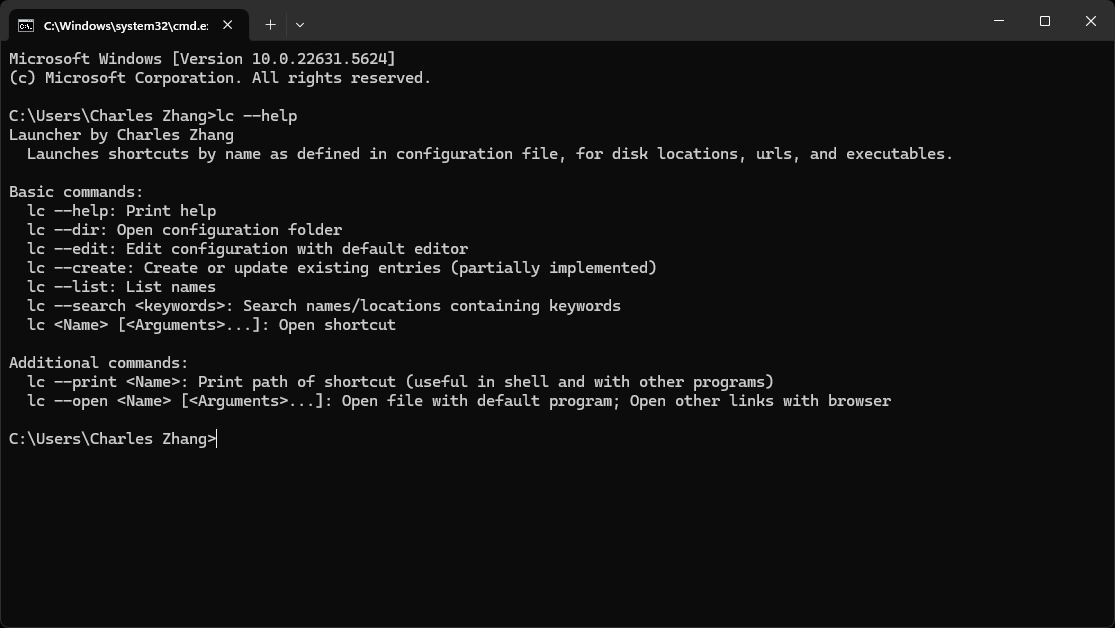
CLI
主要功能
快速启动 • 带参数打开任意
.exe• 直接跳转到文件或文件夹位置 • 在默认浏览器中打开网站灵活配置 • 便于人工阅读的 YAML 文件(
Configurations.yaml) • 支持原样命令(!前缀)和输出监视(!?)跨平台核心 • 纯 .NET 解决方案——不使用 Windows 专用 API(除了用
explorer.exe打开文件夹)丰富的 CLI
lc --list              # List all shortcuts
lc <Name> [<Args>…]    # Launch a shortcut by name
lc --search <keywords> # Fuzzy‑match names or paths
lc --print <Name>      # Show the underlying path (great for scripting)
lc --edit              # Open config in your default editor
lc --open <Name>       # Open with default program/browser
Big White Dot GUI(大白点界面) • 半透明、始终置顶的圆点,一键即可访问 • 托盘图标上下文菜单,包含 Recent、Favorites、Common Folders • 双击即可随时编辑配置
安装与设置
从 Itch.io 下载最新版本: methodox.itch.io/launcher
添加到 PATH(可选,但建议这样做),以便通过
lc或launcher即时访问。为
.yaml文件配置编辑器!- 在 Windows 上,确保
.yaml的默认程序不是脚本包装器(例如 VS Code 的bin文件夹)。 - 将其指向实际的可执行文件目录(例如
%UserProfile%\AppData\Local\Programs\Microsoft VS Code)。 - 否则,编辑配置时会出现“Application Not Found”错误。
- 在 Windows 上,确保
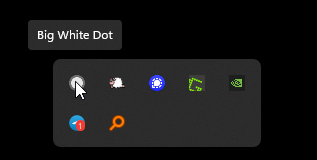
启动 GUI 后,在 Windows 上也可以从任务托盘中使用它:
配置
你的快捷方式保存在以下位置的纯文本 YAML 文件中:
%APPDATA%\Launcher\Configurations.yaml
# Format: Name: Path
# Use '!' prefix for verbatim commands
# Use '!?'' to capture process output

# Examples
Editor: "C:\Program Files\MyEditor\editor.exe"
Docs: "C:\Users\You\Documents"
Search: "https://google.com/search?q="
Build: !? dotnet build MySolution.sln
路线图
- 支持在配置中使用行内注释
- 就地参数占位符(例如
Build {project}) - TUI 风格的交互模式(
lc --interactive/-i) - 为配置解析编写全面的单元测试
更新日志要点
- v0.1.0 – 首个可用版本
- v0.1.3 – 新增
--open,用于以默认程序启动 - v0.1.7 – Big White Dot GUI 及核心重构
完整历史请参见 GitHub 更新日志。
实用链接
- 官方网站:https://methodoxtech.github.io/Launcher/
- GitHub 仓库:github.com/MethodoxTech/Launcher
- Itch.io 下载:methodox.itch.io/launcher