
狀態圖
狀態圖展示某個事物可能處於的各種狀態,以及使它在這些狀態之間轉換的事件。它以 state 及其標題開頭。
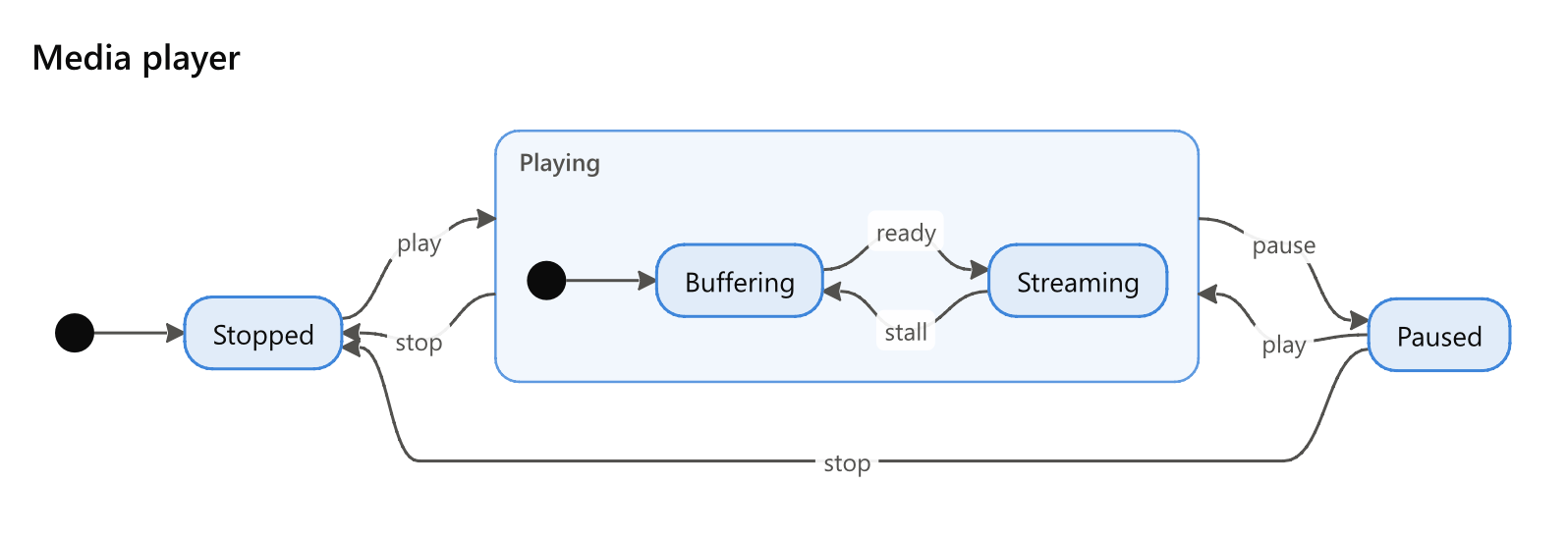
state Media player
direction: right
* -> Stopped
Stopped -> Playing: play
Playing -> Paused: pause
Paused -> Playing: play
Playing -> Stopped: stop
Paused -> Stopped: stop
Playing
  * -> Buffering
  Buffering -> Streaming: ready
  Streaming -> Buffering: stall
設定
| 設定 | 別名 | 值 |
|---|---|---|
direction |
flow, orientation, layout, rankdir |
轉換的走向:down(預設)、right、up 或 left |
狀態和轉換
狀態的建立方式與流程圖的步驟相同 —— 在首次命名處建立 —— 並繪製為圓角形狀。像其他工具那樣寫 state Name 也可以命名一個狀態。兩個狀態之間的箭頭是一個轉換,冒號後的文字是觸發該轉換的事件:Playing -> Paused: pause。
開始和結束
箭頭前的 * 表示狀態機的開始,寫在箭頭後則表示狀態機的結束:* -> Idle、Done -> *。Mermaid 的 [*] 也按同樣方式讀取。在其他任何種類的示意圖中出現 * 都會被指出。
複合狀態
下方有縮排行的狀態是複合狀態:一個包含其自身狀態機的框,有自己的開始和結束。指向或來自其名稱的箭頭會連到它的框上。Playing: Playing music 為複合狀態指定一個標籤。
選擇、分叉和匯合
| 特性 | 將狀態繪製為 |
|---|---|
[choice](也可寫作 decision) |
菱形,狀態機在此走向不同的分支 |
[fork] |
橫條,在此分裂為同時執行的多個狀態 |
[join] |
橫條,它們在此重新匯合 |
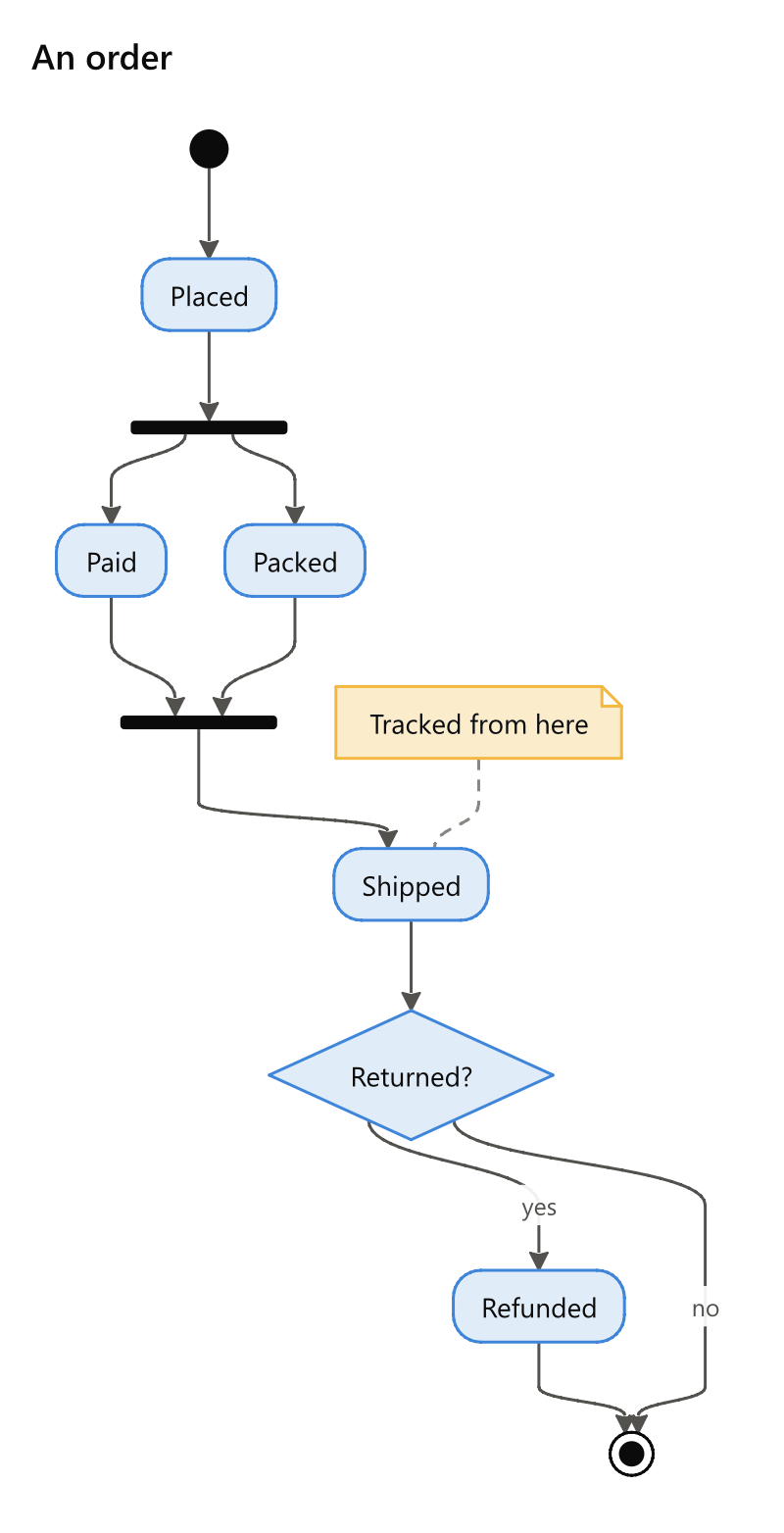
state An order
* -> Placed
Placed -> split
split [fork]
split -> Paid
split -> Packed
Paid -> joined
Packed -> joined
joined [join]
joined -> Shipped
Shipped -> Returned?
Returned? [choice]
Returned? -> Refunded: yes
Returned? -> *: no
Refunded -> *
note Shipped: Tracked from here
方括號中的顏色和角色會為狀態著色,詳見語言頁面。
註解
note State: what to say 會在某個狀態旁邊放置一條註解,並用虛線與之相連。