
Procedural Context
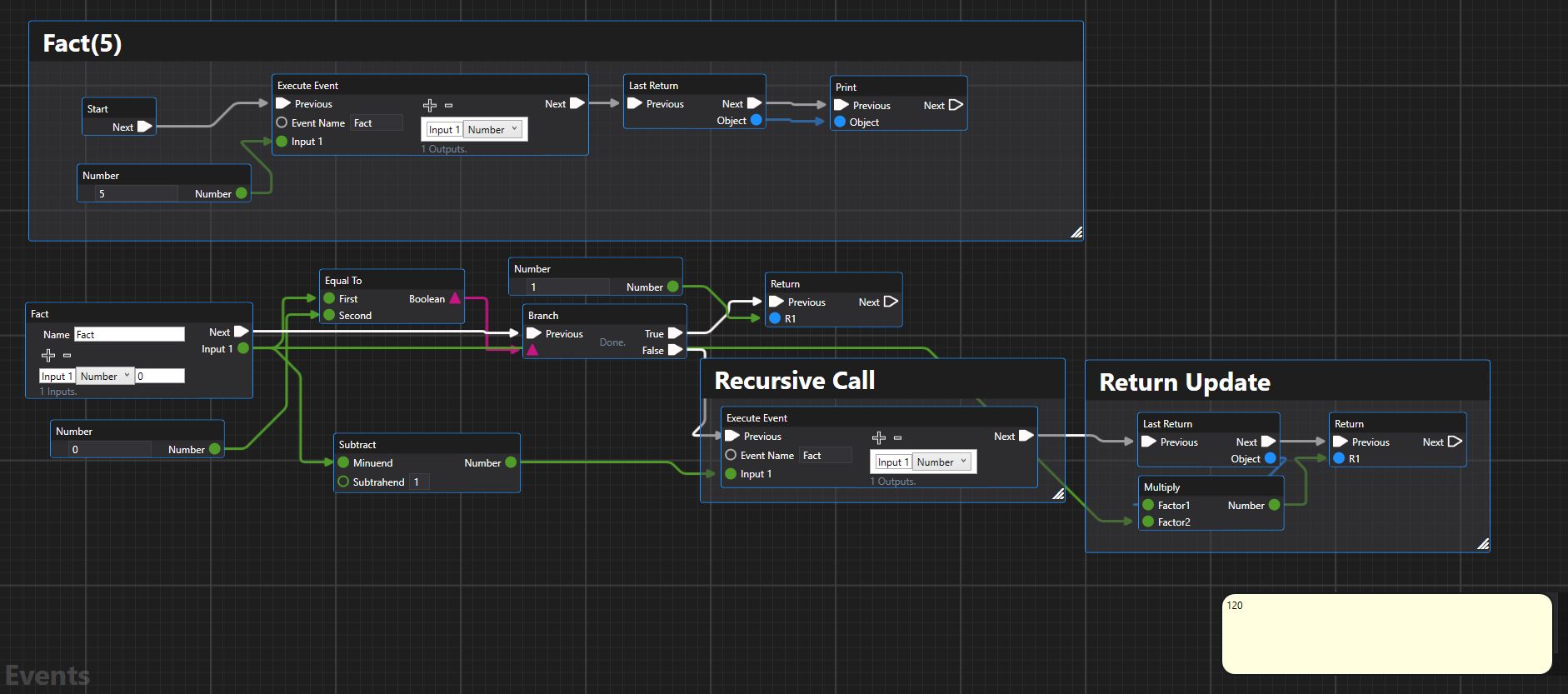
Recursion in Events Graph (Experimental)
Overview
Procedural context is used to dictate branches, loops and can form more typical sequential logic.

You can use it to achieve very practical programs fairly easily. Below program uses ChatGPT complete to summarize all texts files in a folder into a single summary file.

All nodes are available under Basic > Procedural Programming toolbox.

Execution Path
We can use Next and Previous connectors on our nodes to dictate program flow.
States
Graph variables can be set and accessed with Get XXX Variable and Set XXX Variable functions - where XXX is placeholder for variable type.


Sequence
Sequence can be used to break apart horizontal flow into a more vertical one.


Branch
Branch expresses conditional execution.


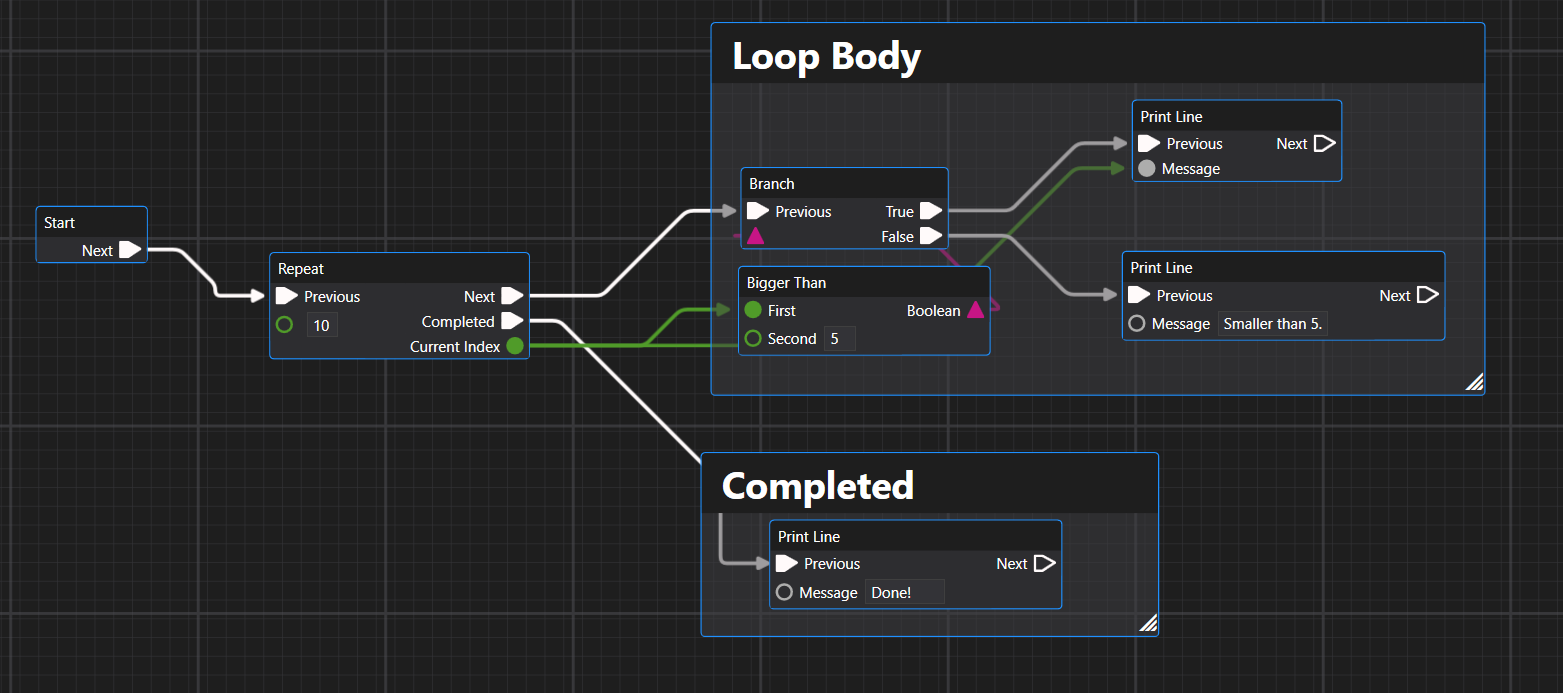
Repeat
Works like a traditional for loop.

The code after "Next" will execute N times, each time with a different index.

You can define what happens after the loop is finished:
Iterate
Given a collection of items, you can enumerate through each of them using the For Each node.


Custom Events (Callback)
We can use Custom Event to define an event, and Execute Event to issue a call.

